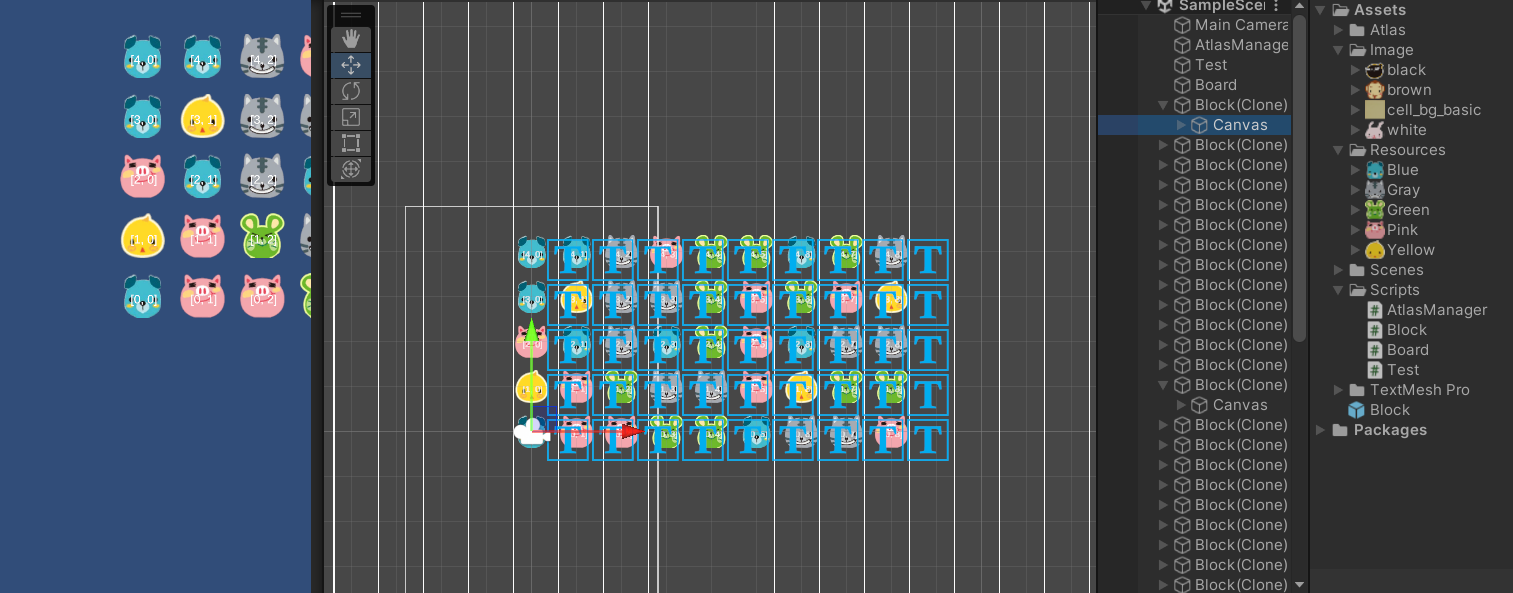
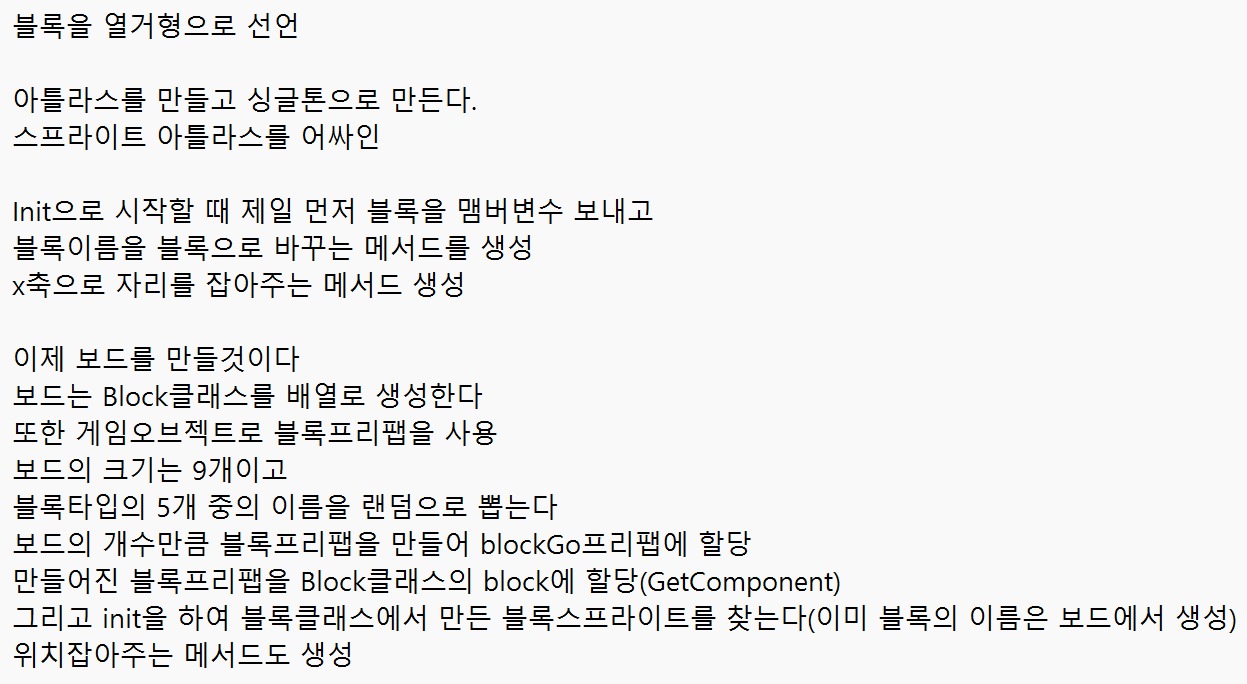
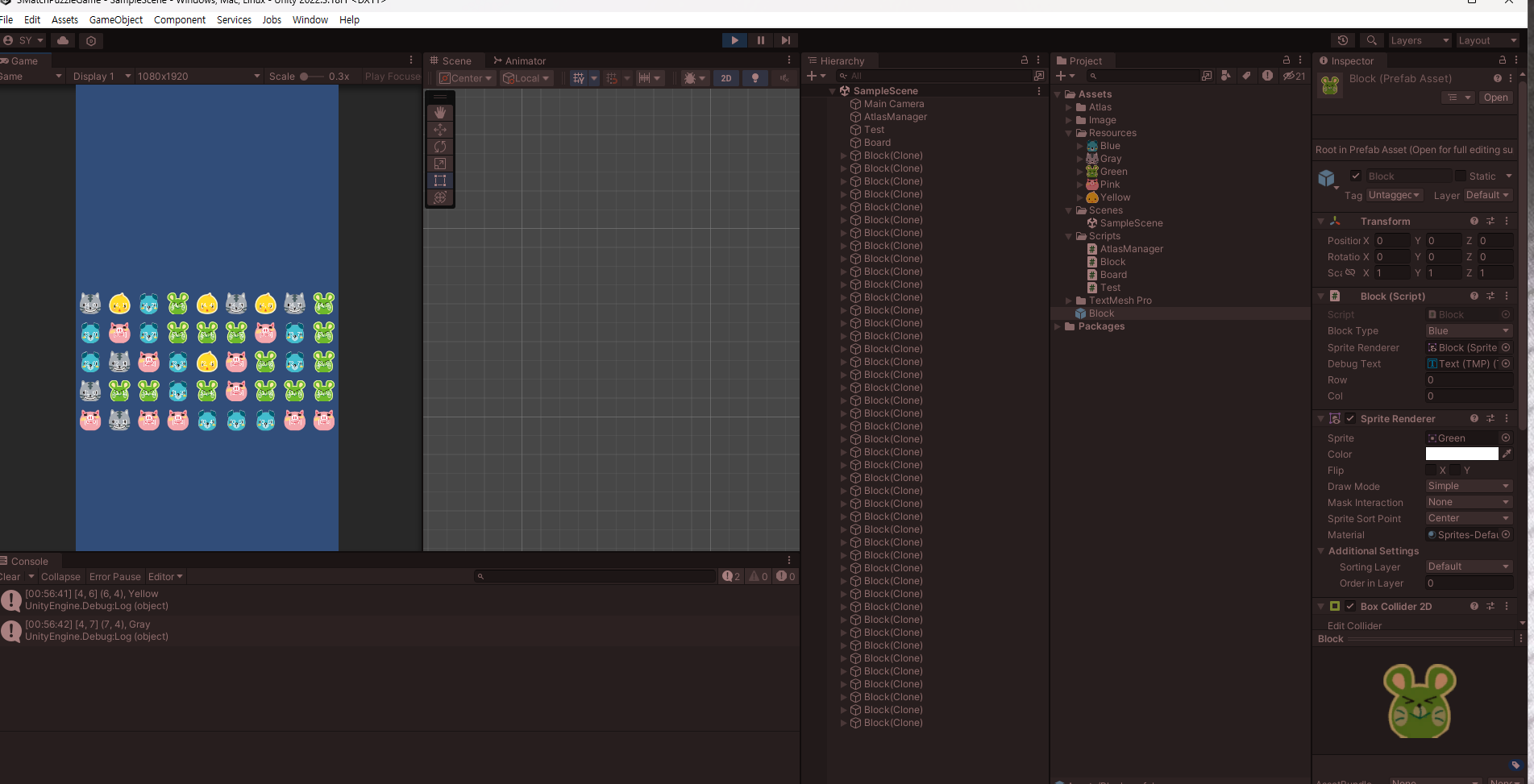
블록에 BoxCollider2D를 부착한 후 클릭을 하면

해당 블록의 배열로서의 위치와 Vector2의 위치가 출력됨


using System.Collections;
using System.Collections.Generic;
using UnityEngine;
using UnityEngine.U2D;

public class AtlasManager : MonoBehaviour
{
    public static AtlasManager instance;
    public SpriteAtlas blockAtlas;
    //싱글톤
    private void Awake()
    {
        //AtlasManager 클래스의 인스턴스를 instance에 할당
        instance = this;
    }
}


using System;
using System.Collections;
using System.Collections.Generic;
using System.Text;
using UnityEngine;
using UnityEngine.U2D;
using Random = UnityEngine.Random;

public class Test : MonoBehaviour
{
    public Board board;
    private void Start()
    {
        board.CreateBoard();
    }
    private void Update()
    {
        if (Input.GetMouseButtonDown(0))
        {
            Ray ray = Camera.main.ScreenPointToRay(Input.mousePosition);
            Debug.DrawRay(ray.origin, ray.direction * 100f, Color.red, 1);
            RaycastHit2D raycastHit2D = Physics2D.Raycast(ray.origin, ray.direction);
            if (raycastHit2D.collider != null)
            {
                Block block = raycastHit2D.collider.GetComponent<Block>();
                Debug.Log($"[{block.row}, {block.col}] ({block.transform.position.x}, {block.transform.position.y}), {block.blockType}");
            }
        }
    }
}


using System;
using System.Collections;
using System.Collections.Generic;
using System.Text;
using UnityEngine;
using Random = UnityEngine.Random;

public class Board : MonoBehaviour
{
    private Block[,] board; //1차원 배열이 Block들을 관리
    public GameObject blockPrefab;

    public void CreateBoard()
    {
        //크기가 9인 BlockType의 1차원 배열 만들기
        board = new Block[5, 9]; // 2차원 배열로 변경
        //5행 9열의 Block타입의 2차원 배열 만들기
        for (int i = 0; i < board.GetLength(0); i++)
        {
            for (int j = 0; j < board.GetLength(1); j++)
            {
                CreateBlock(i, j);
            }
        }
        PrintBoard();
    }

    public void CreateBlock(int row, int col)
    {
        Vector2 pos = new Vector2(col, row);
        Block.BlockType blockType = (Block.BlockType)Random.Range(0, 5);
        GameObject blockGo = Instantiate(blockPrefab);
        Block block = blockGo.GetComponent<Block>();
        block.Init(blockType);
        block.SetPosition(pos);

        //배열의 요소에 블록 넣기
        board[row, col] = block;
    }

    public void PrintBoard()
    {
        StringBuilder sb = new StringBuilder();
        for (int i = 0; i < board.GetLength(0); i++)
        {
            for (int j = 0; j < board.GetLength(1); j++)
            {
                sb.Append($"({i},{j})"); // StringBuilder에 문자열 추가
            }
            sb.AppendLine(); // 새로운 행 추가
        }
        Debug.Log(sb); // StringBuilder에 저장된 문자열을 출력
    }
}


using System.Collections;
using System.Collections.Generic;
using TMPro;
using Unity.Mathematics;
using UnityEngine;

public class Block : MonoBehaviour
{
    public enum BlockType
    {
        Blue, Gray, Green, Pink, Yellow
    }

    public BlockType blockType;
    public SpriteRenderer spriteRenderer;
    public TMP_Text debugText;
    public int row;
    public int col;
    public void Init(BlockType blockType)
    {
        this.blockType = blockType;
        //이미지 변경 
        ChangeSprite(blockType);
    }

    public void ChangeSprite(BlockType blockType)
    {
        //블록의 이름을 넣어서 아틀라스에서 같은 이름인 sprite를 찾고 할당
        Sprite sp =
            AtlasManager.instance.blockAtlas.GetSprite(blockType.ToString());
        spriteRenderer.sprite = sp;
    }

    public void SetPosition(Vector2 pos)
    {
        transform.position = pos;
        var index = Position2Index(pos);
        row = index.row;
        col = index.col;
        debugText.text = $"[{index.row}, {index.col}]";
    }

    public static (int row, int col) Position2Index(Vector2 pos)
    {
        return ((int)pos.y, (int)pos.x);
    }

    public static (int x, int y) Index2Position(Vector2 index)
    {
        return ((int)index.x, (int)index.y);
    }
}

카메라의 Transform과 Size를 조절하여

원하는 곳에 위치시키기

블록안에 TMP_Text를 넣었더니 캔버스가 뭔가 이상해진 것 같아서

수정해볼 필요가 있다.


using System.Collections;
using System.Collections.Generic;
using UnityEngine;
using UnityEngine.U2D;

public class AtlasManager : MonoBehaviour
{
    public static AtlasManager instance;
    public SpriteAtlas blockAtlas;
    //싱글톤
    private void Awake()
    {
        //AtlasManager 클래스의 인스턴스를 instance에 할당
        instance = this;
    }
}


using System;
using System.Collections;
using System.Collections.Generic;
using System.Text;
using UnityEngine;
using UnityEngine.U2D;
using Random = UnityEngine.Random;

public class Test : MonoBehaviour
{
    public Board board;
    private void Start()
    {
        board.CreateBoard();
    }
}


using System;
using System.Collections;
using System.Collections.Generic;
using System.Text;
using UnityEngine;
using Random = UnityEngine.Random;

public class Board : MonoBehaviour
{
    private Block[,] board; //1차원 배열이 Block들을 관리
    public GameObject blockPrefab;

    public void CreateBoard()
    {
        //크기가 9인 BlockType의 1차원 배열 만들기
        board = new Block[5, 9]; // 2차원 배열로 변경
        //5행 9열의 Block타입의 2차원 배열 만들기
        for (int i = 0; i < board.GetLength(0); i++)
        {
            for (int j = 0; j < board.GetLength(1); j++)
            {
                CreateBlock(i, j);
            }
        }
        PrintBoard();
    }

    public void CreateBlock(int row, int col)
    {
        Vector2 pos = new Vector2(col, row);
        Block.BlockType blockType = (Block.BlockType)Random.Range(0, 5);
        GameObject blockGo = Instantiate(blockPrefab);
        Block block = blockGo.GetComponent<Block>();
        block.Init(blockType);
        block.SetPosition(pos);

        //배열의 요소에 블록 넣기
        board[row, col] = block;
    }

    public void PrintBoard()
    {
        StringBuilder sb = new StringBuilder();
        for (int i = 0; i < board.GetLength(0); i++)
        {
            for (int j = 0; j < board.GetLength(1); j++)
            {
                sb.Append($"({i},{j})"); // StringBuilder에 문자열 추가
            }
            sb.AppendLine(); // 새로운 행 추가
        }
        Debug.Log(sb); // StringBuilder에 저장된 문자열을 출력
    }
}


using System.Collections;
using System.Collections.Generic;
using TMPro;
using Unity.Mathematics;
using UnityEngine;

public class Block : MonoBehaviour
{
    public enum BlockType
    {
        Blue, Gray, Green, Pink, Yellow
    }

    public BlockType blockType;
    public SpriteRenderer spriteRenderer;
    public TMP_Text debugText;
    public void Init(BlockType blockType)
    {
        this.blockType = blockType;
        //이미지 변경 
        ChangeSprite(blockType);
    }

    public void ChangeSprite(BlockType blockType)
    {
        //블록의 이름을 넣어서 아틀라스에서 같은 이름인 sprite를 찾고 할당
        Sprite sp =
            AtlasManager.instance.blockAtlas.GetSprite(blockType.ToString());
        spriteRenderer.sprite = sp;
    }

    public void SetPosition(Vector2 pos)
    {
        transform.position = pos;
        var index = Position2Index(pos);
        debugText.text = $"[{index.row}, {index.col}]";
    }

    public static (int row, int col) Position2Index(Vector2 pos)
    {
        return ((int)pos.y, (int)pos.x);
    }

    public static (int x, int y) Index2Position(Vector2 index)
    {
        return ((int)index.x, (int)index.y);
    }
}


이때 배열과 백터에 x, y를 잘 생각해야한다.

배열로 GetLengh(0)으로 하면 행이지만

벡터를 기준으로 했을 때 보면 y축이기 때문에 

Vector2의 매개변수의 순서가 바뀐다.


using System.Collections;
using System.Collections.Generic;
using UnityEngine;
using UnityEngine.U2D;

public class AtlasManager : MonoBehaviour
{
    public static AtlasManager instance;
    public SpriteAtlas blockAtlas;
    //싱글톤
    private void Awake()
    {
        //AtlasManager 클래스의 인스턴스를 instance에 할당
        instance = this;
    }
}


using System;
using System.Collections;
using System.Collections.Generic;
using System.Text;
using UnityEngine;
using Random = UnityEngine.Random;

public class Test : MonoBehaviour
{
    private Block[,] board; //1차원 배열이 Block들을 관리
    public GameObject blockPrefab;
    void Start()
    {
        CreateBoard();
    }

    private void CreateBoard()
    {
        //크기가 9인 BlockType의 1차원 배열 만들기
        board = new Block[5, 9]; // 2차원 배열로 변경
        //5행 9열의 Block타입의 2차원 배열 만들기
        for (int i = 0; i < 5; i++)
        {
            for (int j = 0; j < 9; j++)
            {
                CreateBlock(i, j);
            }
        }
        PrintBoard(); 
    }

    private void CreateBlock(int row, int col)
    {
        Vector2 pos = new Vector2(col, row);
        Block.BlockType blockType = (Block.BlockType)Random.Range(0, 5);
        GameObject blockGo = Instantiate(blockPrefab);
        Block block = blockGo.GetComponent<Block>();
        block.Init(blockType);
        block.SetPosition(pos);

        //배열의 요소에 블록 넣기
        board[row, col] = block;
    }

    private void PrintBoard()
    {
        StringBuilder sb = new StringBuilder();
        for (int i = 0; i < board.GetLength(0); i++)
        {
            for (int j = 0; j < board.GetLength(1); j++)
            {
                sb.Append($"({i},{j})"); // StringBuilder에 문자열 추가
            }
            sb.AppendLine(); // 새로운 행 추가
        }
        Debug.Log(sb); // StringBuilder에 저장된 문자열을 출력
    }
}


using System.Collections;
using System.Collections.Generic;
using UnityEngine;

public class Block : MonoBehaviour
{
    public enum BlockType
    {
        Blue, Gray, Green, Pink, Yellow
    }

    public BlockType blockType;
    public SpriteRenderer spriteRenderer;
    public void Init(BlockType blockType)
    {
        this.blockType = blockType;
        //이미지 변경 
        ChangeSprite(blockType);
    }

    public void ChangeSprite(BlockType blockType)
    {
        //블록의 이름을 넣어서 아틀라스에서 같은 이름인 sprite를 찾고 할당
        Sprite sp =
            AtlasManager.instance.blockAtlas.GetSprite(blockType.ToString());
        spriteRenderer.sprite = sp;
    }

    public void SetPosition(Vector2 pos)
    {
        transform.position = pos;
    }
}


using System.Collections;
using System.Collections.Generic;
using TMPro;
using Unity.Mathematics;
using UnityEngine;

public class Block : MonoBehaviour
{
    public enum BlockType
    {
        Blue, Gray, Green, Pink, Yellow
    }

    public BlockType blockType;
    public SpriteRenderer spriteRenderer;
    public TMP_Text debugText;
    public void Init(BlockType blockType)
    {
        this.blockType = blockType;
        //이미지 변경 
        ChangeSprite(blockType);
    }

    public void ChangeSprite(BlockType blockType)
    {
        //블록의 이름을 넣어서 아틀라스에서 같은 이름인 sprite를 찾고 할당
        Sprite sp =
            AtlasManager.instance.blockAtlas.GetSprite(blockType.ToString());
        spriteRenderer.sprite = sp;
    }

    public void SetPosition(Vector2 pos)
    {
        transform.position = pos;
        var index = Position2Index(pos);
        debugText.text = $"[{index.row}, {index.col}]";
    }

    public static (int row, int col) Position2Index(Vector2 pos)
    {
        return ((int)pos.y, (int)pos.x);
    }

    public static (int x, int y) Index2Position(Vector2 index)
    {
        return ((int)index.x, (int)index.y);
    }
}

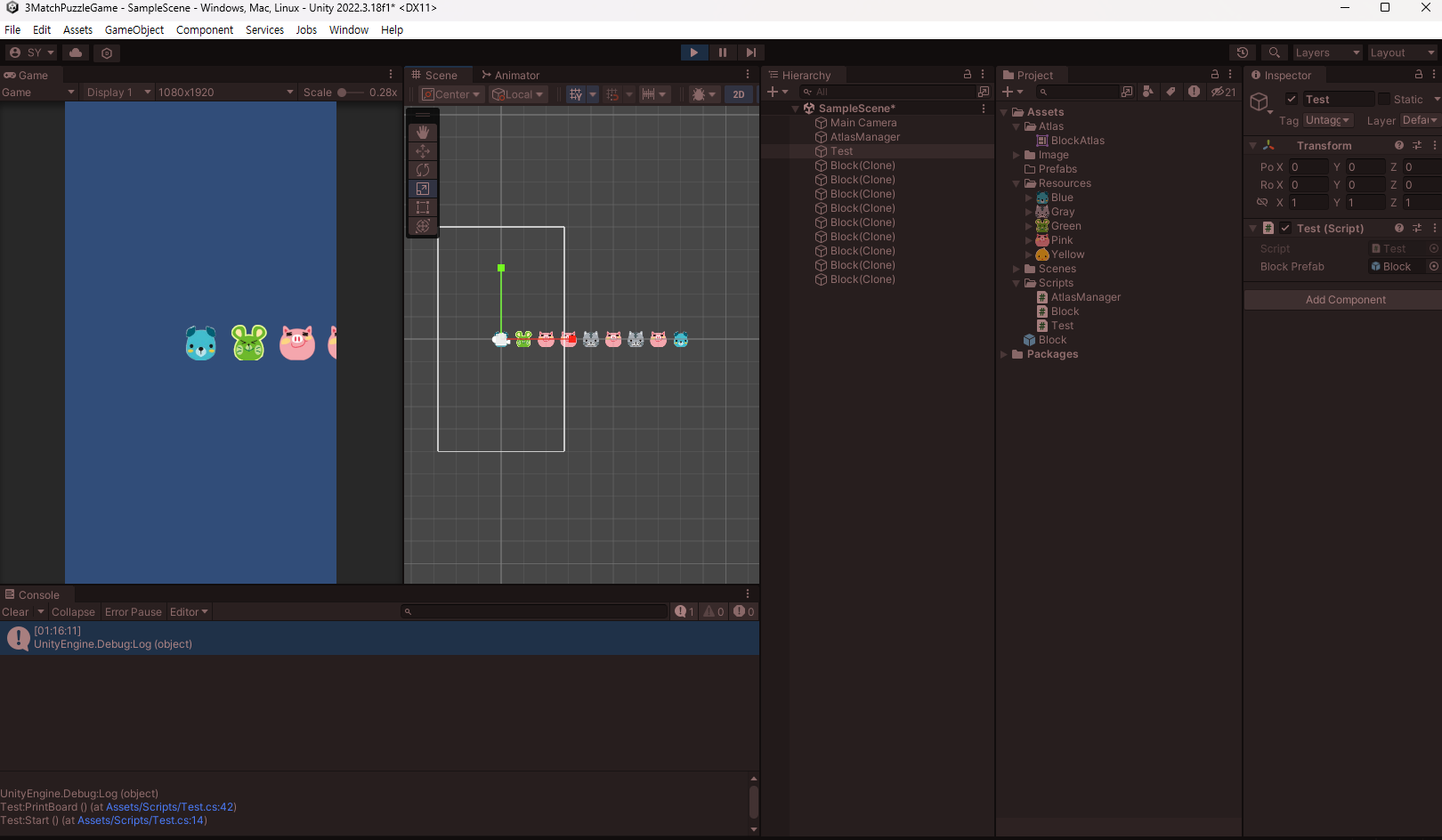
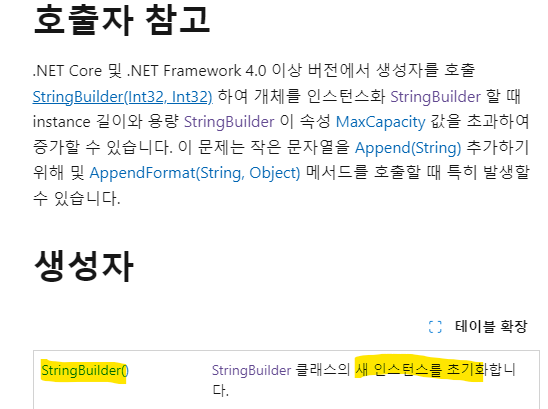
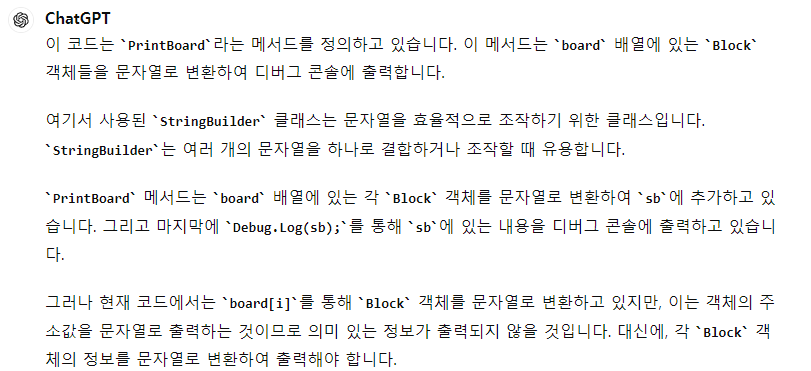
StringBuilder를 사용하여


using System.Collections;
using System.Collections.Generic;
using System.Text;
using Unity.VisualScripting;
using UnityEngine;

public class Test : MonoBehaviour
{
    private Block[,] board; //1차원 배열이 Block들을 관리
    public GameObject blockPrefab;
    void Start()
    {
        CreateBoard();
        //PrintBoard();
    }

    private void CreateBoard()
    {
        //크기가 9인 BlockType의 1차원 배열 만들기
        board = new Block[5, 9]; // 2차원 배열로 변경
        Debug.LogFormat("현재 보드의 칸의 총 개수 : {0}", board.Length); // 전체 길이
        Debug.LogFormat("행의 개수 : {0} ", board.GetLength(0));
        Debug.LogFormat("열의 개수 : {0} ", board.GetLength(1));

        StringBuilder sb = new StringBuilder();
        for(int i = 0; i < board.GetLength(0); i++)
        {
            for(int j = 0;  j < board.GetLength(1); j++)
            {
                sb.Append($"({i},{j})"); // StringBuilder에 문자열 추가
            }
            sb.AppendLine(); // 새로운 행 추가
        }
        Debug.Log(sb); // StringBuilder에 저장된 문자열을 출력
        //배열의 요소에 넣기(0~8까지의 랜덤한 값을 BlockType으로 바꿔서)
        //for (int i = 0; i < board.Length; i++)
        //{
        //    Block.BlockType blockType = (Block.BlockType)Random.Range(0, 5);

        //    //블록 프리팹 인스턴스를 생성
        //    GameObject blockGo = Instantiate(blockPrefab);
        //    //생성된 프리팹을 블록클래스의 블록에 할당
        //    Block block = blockGo.GetComponent<Block>();
        //    block.Init(blockType);
        //    block.SetPosition(i);
        //}
    }

    //private void PrintBoard()
    //{
    //    
    //    
    //    
    //    
    //    
    //    
    //}
}


using System.Collections;
using System.Collections.Generic;
using UnityEngine;
using UnityEngine.U2D;

public class AtlasManager : MonoBehaviour
{
    public static AtlasManager instance;
    public SpriteAtlas blockAtlas;
    //싱글톤
    private void Awake()
    {
        //AtlasManager 클래스의 인스턴스를 instance에 할당
        instance = this;
    }
}


using System.Collections;
using System.Collections.Generic;
using UnityEngine;

public class Block : MonoBehaviour
{
    public enum BlockType
    {
        Blue, Gray, Green, Pink, Yellow
    }

    public BlockType blockType;
    public SpriteRenderer spriteRenderer;
    public void Init(BlockType blockType)
    {
        this.blockType = blockType;
        //이미지 변경 
        ChangeSprite(blockType);
    }

    public void ChangeSprite(BlockType blockType)
    {
        //블록의 이름을 넣어서 아틀라스에서 같은 이름인 sprite를 찾고 할당
        Sprite sp =
            AtlasManager.instance.blockAtlas.GetSprite(blockType.ToString());
        spriteRenderer.sprite = sp;
    }

    public void SetPosition(int x)
    {
        Vector2 pos = transform.position;
        pos.x = x;
        transform.position = pos;
    }
}
using System.Collections;
using System.Collections.Generic;
using System.Text;
using Unity.VisualScripting;
using UnityEngine;

public class Test : MonoBehaviour
{
    private Block[,] board; //1차원 배열이 Block들을 관리
    public GameObject blockPrefab;
    void Start()
    {
        CreateBoard();
    }

    private void CreateBoard()
    {
        //크기가 9인 BlockType의 1차원 배열 만들기
        board = new Block[5, 9]; // 2차원 배열로 변경

        PrintBoard();


        //배열의 요소에 넣기(0~8까지의 랜덤한 값을 BlockType으로 바꿔서)
        //for (int i = 0; i < board.Length; i++)
        //{
        //    Block.BlockType blockType = (Block.BlockType)Random.Range(0, 5);

        //    //블록 프리팹 인스턴스를 생성
        //    GameObject blockGo = Instantiate(blockPrefab);
        //    //생성된 프리팹을 블록클래스의 블록에 할당
        //    Block block = blockGo.GetComponent<Block>();
        //    block.Init(blockType);
        //    block.SetPosition(i);
        //}
    }

    private void PrintBoard()
    {
        StringBuilder sb = new StringBuilder();
        for (int i = 0; i < board.GetLength(0); i++)
        {
            for (int j = 0; j < board.GetLength(1); j++)
            {
                sb.Append($"({i},{j})"); // StringBuilder에 문자열 추가
            }
            sb.AppendLine(); // 새로운 행 추가
        }
        Debug.Log(sb); // StringBuilder에 저장된 문자열을 출력
    }
}

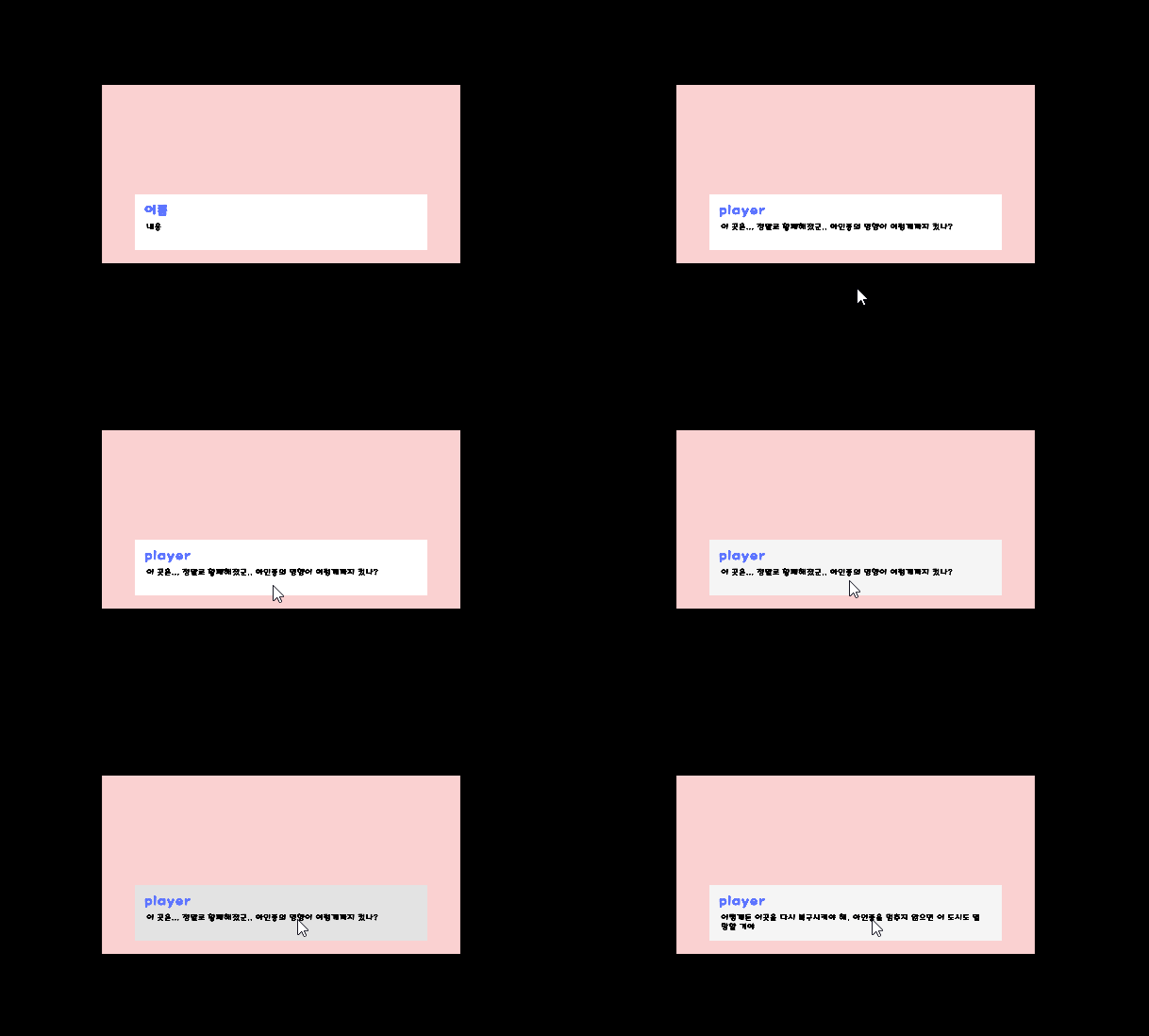
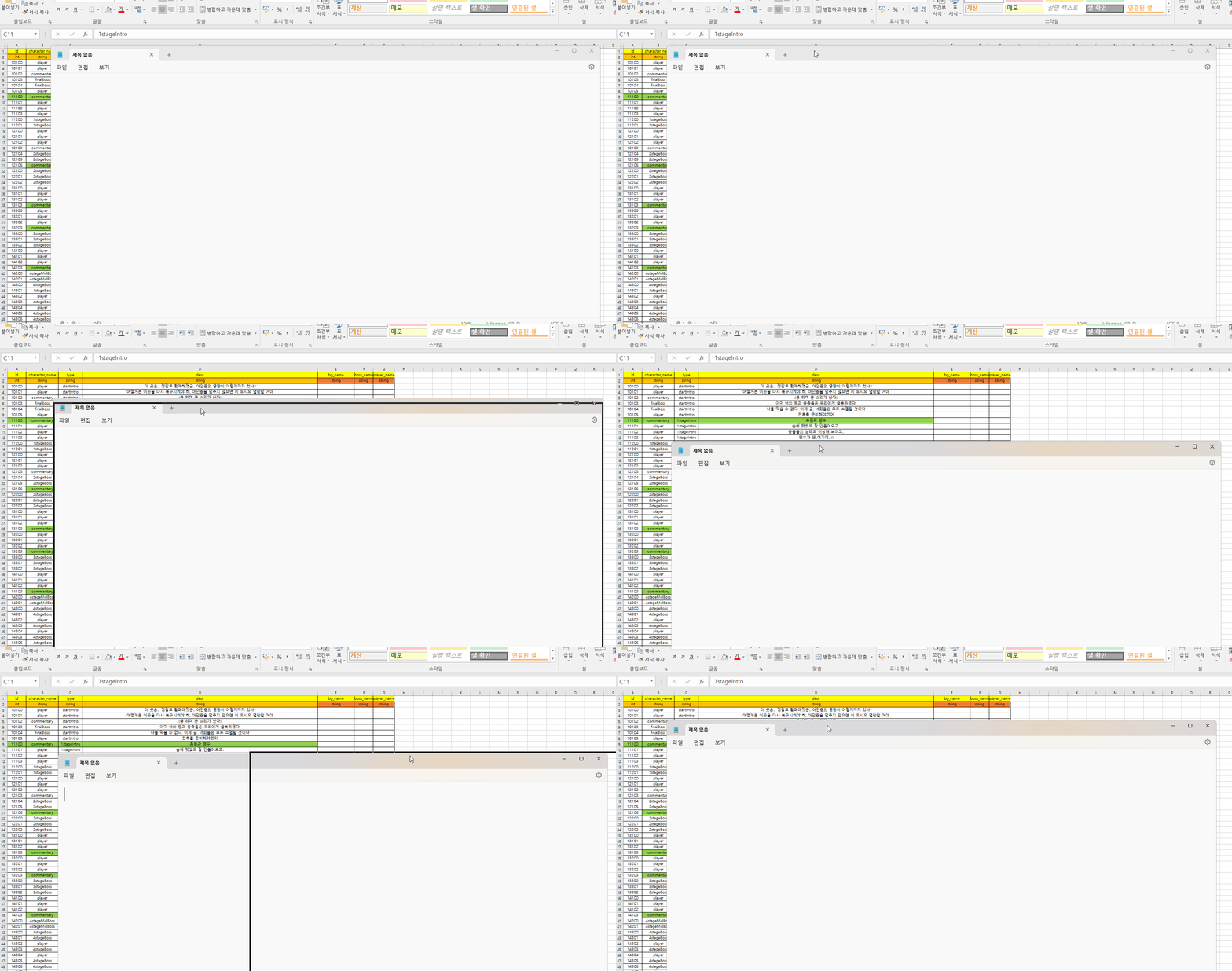
게임에 사용할 스토리 제작

캐릭터의 이름이 주인공인지 적인지 구별하여

그에따라 대화의 id를 찾아서 대화를 띄어주는 것 연구중..


using System.Collections;
using System.Collections.Generic;
using UnityEngine;
using UnityEngine.U2D;

public class AtlasManager : MonoBehaviour
{
    public static AtlasManager instance;
    public SpriteAtlas blockAtlas;
    //싱글톤
    private void Awake()
    {
        //AtlasManager 클래스의 인스턴스를 instance에 할당
        instance = this;
    }
}


using System.Collections;
using System.Collections.Generic;
using UnityEngine;

public class Block : MonoBehaviour
{
    public enum BlockType
    {
        Blue, Gray, Green, Pink, Yellow
    }

    public BlockType blockType;
    public SpriteRenderer spriteRenderer;
    public void Init(BlockType blockType)
    {
        this.blockType = blockType;
        //이미지 변경 
        ChangeSprite(blockType);
    }

    public void ChangeSprite(BlockType blockType)
    {
        //블록의 이름을 넣어서 아틀라스에서 같은 이름인 sprite를 찾고 할당
        Sprite sp =
            AtlasManager.instance.blockAtlas.GetSprite(blockType.ToString());
        spriteRenderer.sprite = sp;
    }

    public void SetPosition(int x)
    {
        Vector2 pos = transform.position;
        pos.x = x;
        transform.position = pos;
    }
}


using System.Collections;
using System.Collections.Generic;
using System.Text;
using Unity.VisualScripting;
using UnityEngine;

public class Test : MonoBehaviour
{
    private Block[] board; //1차원 배열이 Block들을 관리
    public GameObject blockPrefab;
    void Start()
    {
        CreateBoard();
        PrintBoard();
    }

    private void CreateBoard()
    {
        //크기가 9인 BlockType의 1차원 배열 만들기
        board = new Block[9];
        //배열의 요소에 넣기(0~8까지의 랜덤한 값을 BlockType으로 바꿔서)
        for (int i = 0; i < board.Length; i++)
        {
            Block.BlockType blockType = (Block.BlockType)Random.Range(0, 5);

            //블록 프리팹 인스턴스를 생성
            GameObject blockGo = Instantiate(blockPrefab);
            //생성된 프리팹을 블록클래스의 블록에 할당
            Block block = blockGo.GetComponent<Block>();
            block.Init(blockType);
            block.SetPosition(i);
        }
    }

    private void PrintBoard()
    {
        StringBuilder sb = new StringBuilder();
        for (int i = 0; i < board.Length; i++)
        {
            sb.Append($"{board[i]}");
        }
        Debug.Log(sb);
    }
}


https://learn.microsoft.com/ko-kr/dotnet/api/system.text.stringbuilder?view=net-8.0


StringBuilder 클래스 (System.Text)

변경할 수 있는 문자열을 나타냅니다. 이 클래스는 상속될 수 없습니다.

learn.microsoft.com


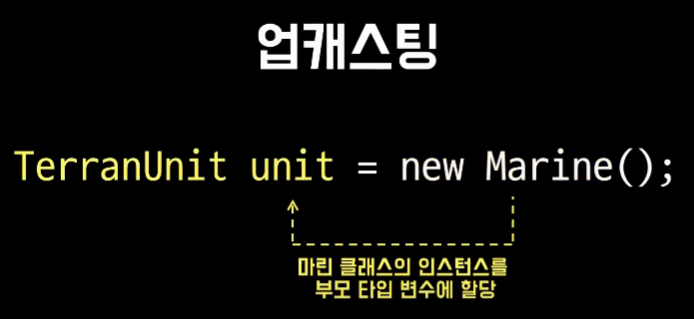
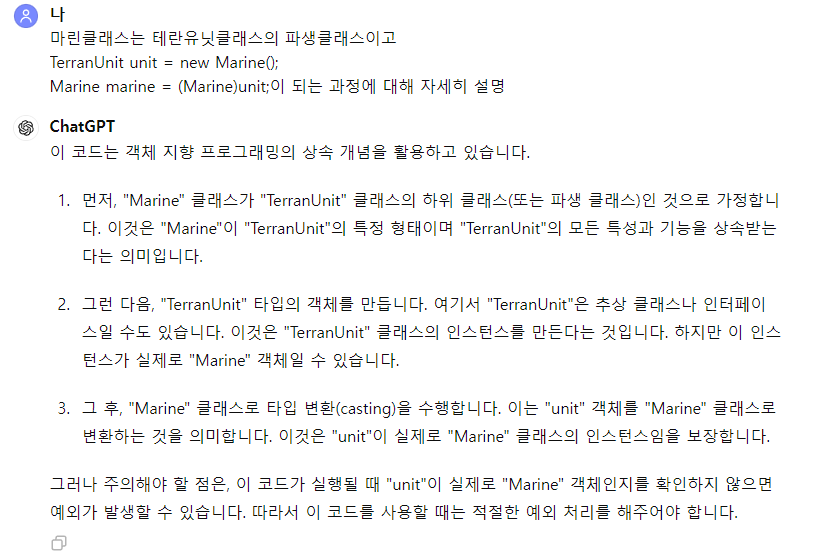
업캐스팅?

인스턴스의 타입을 파생(자식) 클래스 타입에서

기본 클래스 타입으로 변환


다운 캐스팅?

인스턴스의 타입을 기본 클래스 타입에서

파생 클래스 타입으로 변환


업캐스팅은 암시적

https://www.youtube.com/watch?v=yVDljROH1Jg&list=PLTFRwWXfOIYBmr3fK17E0VhKPyYrGy75z&index=40


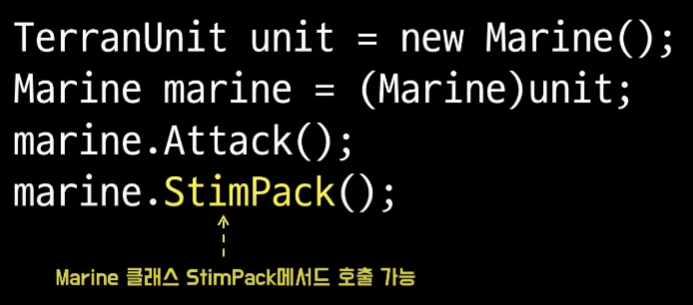
다운캐스팅은 명시적


접근 가능한 맴버는 참조변수의 타입에 의해 결정됨


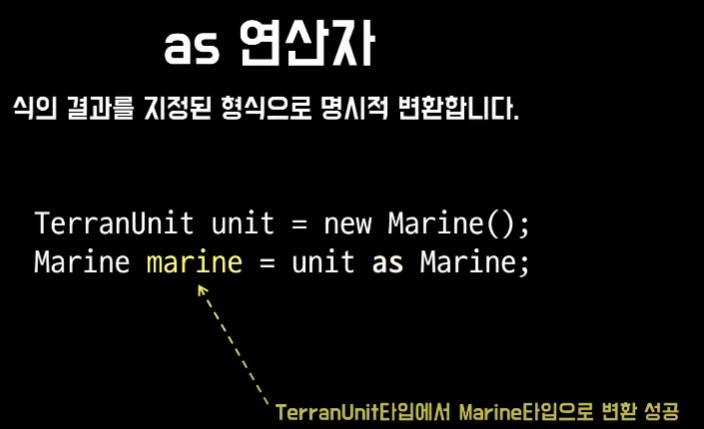
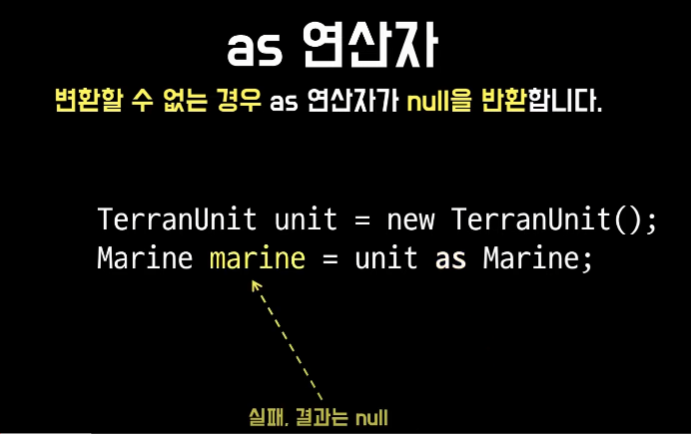
변환할 수 없는 경우 as 연산자가 null을 반환

캐스트 식과 달리 as 연산자는 예외를 throw하지 않는다.


as 연산자 변환 성공한 경우


as 연산자 변환 실패한 경우


using System;
using System.Collections.Generic;
using System.Diagnostics;
using System.Linq;
using System.Text;
using System.Threading.Tasks;

namespace Step38
{
    internal class Program
    {
        static void Main(string[] args)
        {
            //Marine marine = new Marine();
            //marine.Attack();
            //marine.StimPack();

            //업캐스팅(암시적)
            //TerranUnit unit = new Marine();
            //unit.Attack();
            //unit.StimPack(); //호출 불가

            //업캐스팅 (명시적)
            //TerranUnit unit = (TerranUnit)new TerranUnit();
            //unit.Attack();
            //unit.StimPack(); //호출불가

            //TerranUnit unit =  new Marine(); //암시적 업캐스팅
            //Marine marine = (Marine)unit; //다운 캐스팅은 명시적이어야함
            //marine변수의 값은 Marine의 인스턴스
            //marine.Attack();
            //marine.StimPack(); //호출 가능

            /*주의 사항*/
            //부모 클래스 인스턴스 생성 후
            //자식 클래스 타입으로 (다운캐스팅) 할수 없다.
            //Marine marine = (Marine)new TerranUnit();
            //marine.Attack();
            //marine.StimPack(); //호출가능

            //is 연산자를 사용해서
            //형식 변환이 가능한지 테스트 가능

            //TerranUnit unit = new TerranUnit();
            //bool canDownCast = unit is Marine;
            //Console.WriteLine(canDownCast); //False

            //Marine marine = new Marine();
            //bool canUpCast = marine is TerranUnit;
            //Console.WriteLine(canUpCast); // True
            //TerranUnit unit = marine; //암시적 업캐스팅

            
            //TerranUnit unit = new Marine(); //암시적 업캐스팅
            //bool canUpCast = unit is TerranUnit;
            //Console.WriteLine(canUpCast); //True
            //Marine marine = (Marine)unit; //명시적 다운캐스팅

            //as 연산자를 사용해 명시적으로 캐스팅 하기
            //Marine marine = new Marine();
            //TerranUnit unit = marine as TerranUnit;
            //Console.WriteLine(unit); //Step38.Marine => 성공

            TerranUnit unit = new TerranUnit();
            Marine marine = unit as Marine;
            Console.WriteLine("marine : {0}", marine); //marine : => 변환이 실패하면 결과값은 null
            //즉, 예외를 발생시키지 않는다.

        }
    }
}


using System;
using System.Collections.Generic;
using System.Linq;
using System.Text;
using System.Threading.Tasks;

namespace Step38
{
    internal class TerranUnit
    {
        public void Attack()
        {
            Console.WriteLine("공격합니다.");
        }
        //public TerranUnit() { }
    }
}


using System;
using System.Collections.Generic;
using System.Linq;
using System.Text;
using System.Threading.Tasks;

namespace Step38
{
    internal class Marine : TerranUnit
    {
        public void StimPack()
        {
            Console.WriteLine("스팀팩을 활성화합니다.");
        }
    }
}

'Study > C#' 카테고리의 다른 글

[C#] 구조체  (0) 2024.06.14
[C#] 생성자 연결  (0) 2024.06.12
[C#] virtual, override  (0) 2024.06.12
[C#] 상속  (1) 2024.06.03
[C#] static 한정자  (0) 2024.06.02

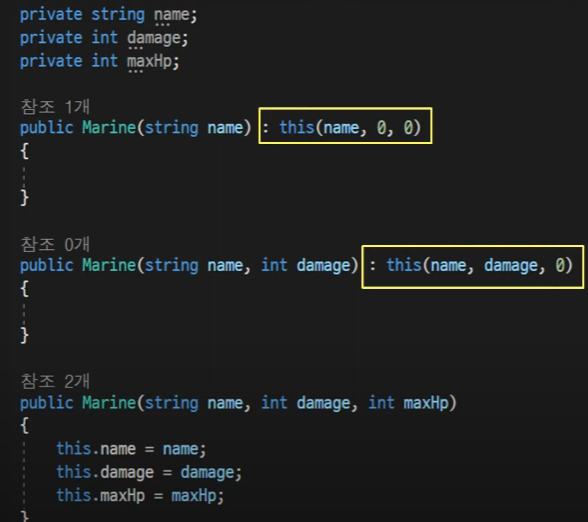
생성자 연결은 생성자가 동일하거나

기본 클래스의 다른 생성자를 호출하는 접근 방식

즉, 생성자에서 다른 생성자 호출


여러 생성자를 정의하는 클래스가 있을 때 사용


가장 많은 매개변수로 구성된 하나의 생성자에만 값을 할당

그리고 다른 두 생성자가 호출될 때 해당 생성자 호출


상속에서 기본 생성자 연결


상속에서 매개변수 있는 생성자 연결


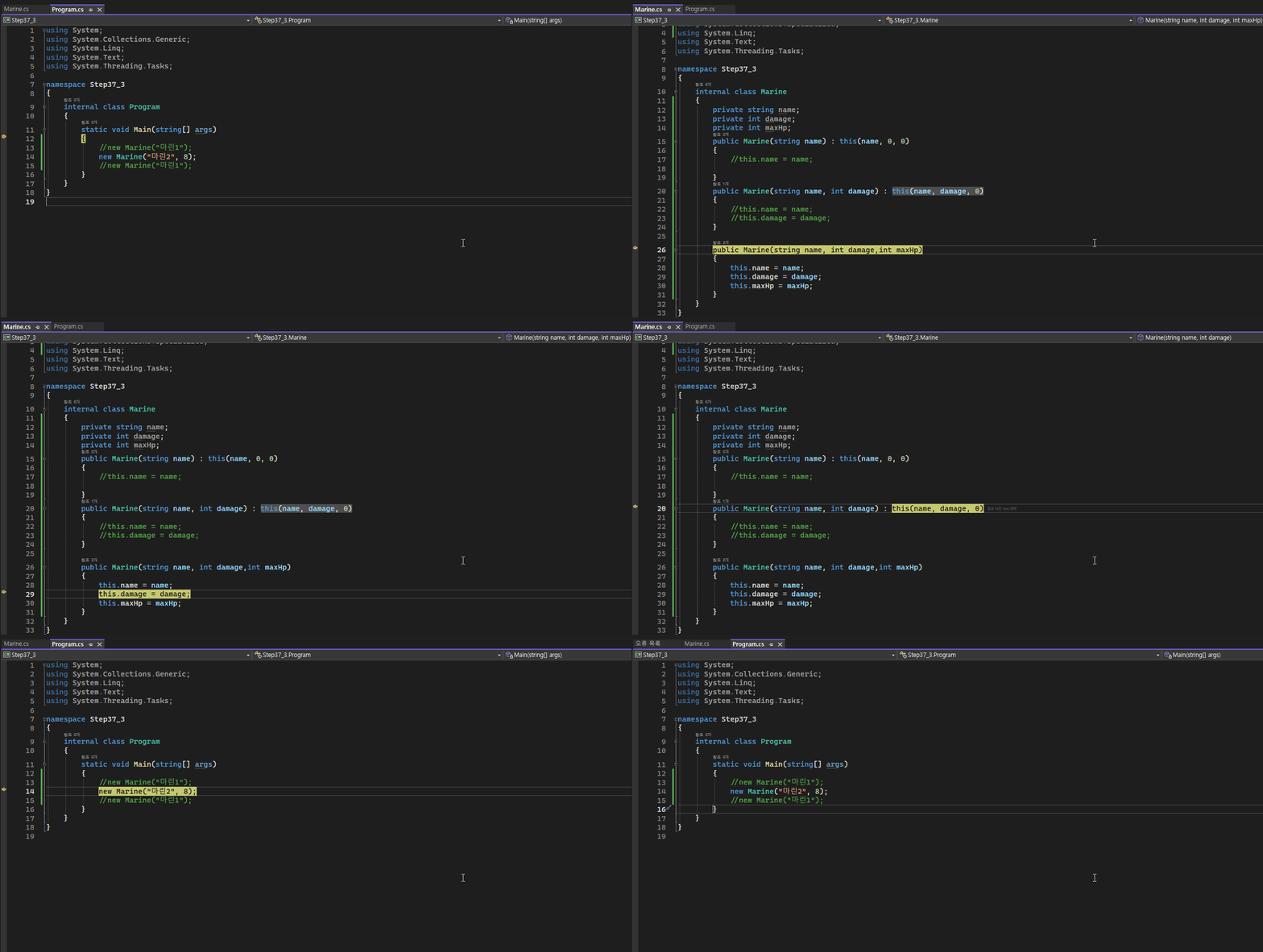
즉 , 생성자 연결을 통해 매개변수 수가 가장 많은 생성자가 호출된다


생성자 연결 과정


상속 생성자 연결 과정


using System;
using System.Collections.Generic;
using System.Linq;
using System.Net.Http.Headers;
using System.Text;
using System.Threading.Tasks;

namespace Step37_3
{
    internal class Program
    {
        static void Main(string[] args)
        {
            //new Marine();
            new Marine("홍길동");
            //new Marine("홍길동", 8);
        }
    }
}


using System;
using System.Collections.Generic;
using System.Linq;
using System.Text;
using System.Threading.Tasks;

namespace Step37_3
{
    internal class TerranUnit
    {
        protected string name;
        protected int damage;
        public TerranUnit()
        {
            Console.WriteLine("TerranUnit의 생성자");
        }

        public TerranUnit(string name) : this(name, 0)
        {
            this.name = name;
            Console.WriteLine("매개변수가 1개있는 생성자");
        }

        public TerranUnit(string name, int damage)
        {
            this.name = name;
            this.damage = damage;
            Console.Write("매개 변수가 2개 있는 TerranUnit 생성자");
        }
    }
}


using System;
using System.Collections.Generic;
using System.Collections.Specialized;
using System.Linq;
using System.Text;
using System.Threading.Tasks;

namespace Step37_3
{
    internal class Marine : TerranUnit
    {
        public Marine() : base() //없으면 암시적으로 동작
        {
            Console.WriteLine("Marine 생성자");
        }

        public Marine(string name) : base(name) //매개변수 이름을 동일하게
        {
            Console.WriteLine("매개변수 1개 있는 Marine 생성자, name : {0} : ", this.name);
        }
        
        public Marine(string name, int damage) : base(name, damage)
        {
            Console.WriteLine("매개변수 2개 있는 Marine 생성자, name : {0}, damage : {1}", this.name, this.damage);
        }
    }
}

'Study > C#' 카테고리의 다른 글

[C#] 구조체  (0) 2024.06.14
[C#] 업캐스팅, 다운캐스팅  (0) 2024.06.13
[C#] virtual, override  (0) 2024.06.12
[C#] 상속  (1) 2024.06.03
[C#] static 한정자  (0) 2024.06.02

virtual 키워드는

기본 클래스에서 정의된 메서드를

파생 클래스에서 재정의하도록 허용


static, abstract, private 한정자와 함께 사용 불가


override 한정자?

상속된 메서드의 구현을 확장하거나 수정


https://www.youtube.com/watch?v=kmsocjH-keQ&list=PLTFRwWXfOIYBmr3fK17E0VhKPyYrGy75z&index=39


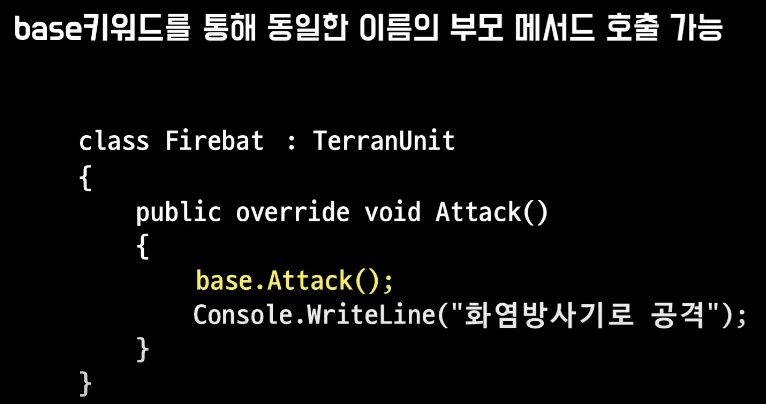
base 키워드?

파생 클래스 내에서 기본 클래스의 맴버에 엑세스하는데 사용


부모클래스에서 virtual
파생 클래스에서 override

자식 클래스에서 부모클래스 맴버 엑세스 base


using System;
using System.Collections.Generic;
using System.Linq;
using System.Text;
using System.Threading.Tasks;

namespace Step37_2
{
    internal class Program
    {
        static void Main(string[] args)
        {
            Marine marine = new Marine();
            marine.name = "마린1";

            Firebat firebat = new Firebat();
            firebat.name = "파이어뱃1";

            marine.Attack();
            firebat.Attack();
        }
    }
}


using System;
using System.Collections.Generic;
using System.Linq;
using System.Text;
using System.Threading.Tasks;

namespace Step37_2
{
    class TerranUnit
    {
        public string name;
        //생성자
        public TerranUnit()
        {
            Console.WriteLine("TerranUnit 클래스의 생성자");
        }
        
        public virtual void Attack()
        {
            Console.WriteLine("{0}이(가) 공격 합니다", this.name);
        }
        protected void Reload(string weaponName) //자식만 접근 가능
        {
            Console.WriteLine("{0}이(가) {1}을 장전을 합니다", this.name, weaponName); ;
        }
    }
}


using System;
using System.Collections.Generic;
using System.Linq;
using System.Text;
using System.Threading.Tasks;

namespace Step37_2
{
    internal class Marine : TerranUnit
    {
        //생성자
        public Marine()
        {
            Console.WriteLine("Marine클래스의 생성자");
        }
        public override void Attack()
        {
            base.Reload("총");
            Console.WriteLine("{0}이(가) 총으로 공격합니다.", this.name);
        }
    }
}


using System;
using System.Collections.Generic;
using System.Linq;
using System.Net;
using System.Text;
using System.Threading.Tasks;

namespace Step37_2
{
    internal class Firebat : TerranUnit
    {
        public Firebat()
        {
            Console.WriteLine("Firebat클래스의 생성자");
        }

        public override void Attack()
        {
            base.Reload("화염방사기");
            Console.WriteLine("{0}이(가) 화염방사기로 공격합니다.", this.name);
        }
        
        
    }
}

'Study > C#' 카테고리의 다른 글

[C#] 업캐스팅, 다운캐스팅  (0) 2024.06.13
[C#] 생성자 연결  (0) 2024.06.12
[C#] 상속  (1) 2024.06.03
[C#] static 한정자  (0) 2024.06.02
[C#] this 키워드  (0) 2024.05.31

+ Recent posts