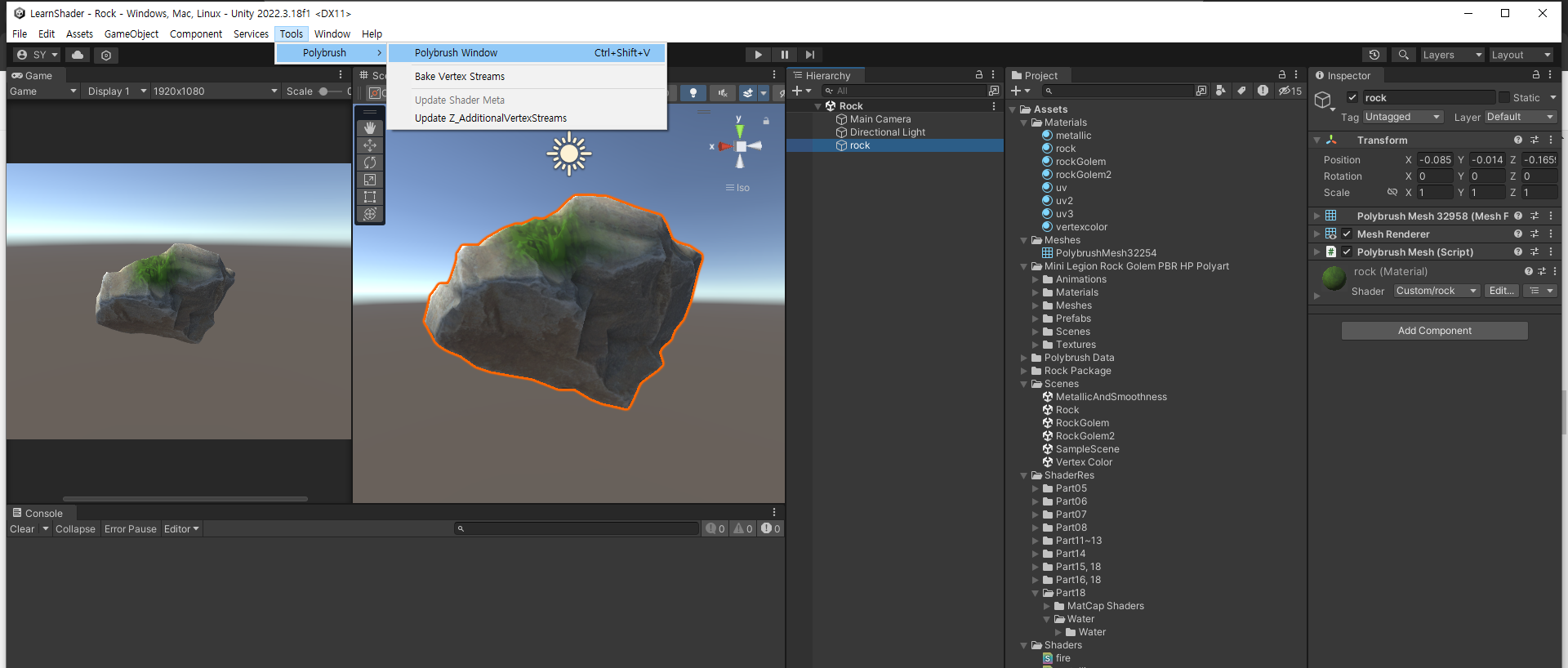
3D 오브젝트 2pass로 테두리 생성
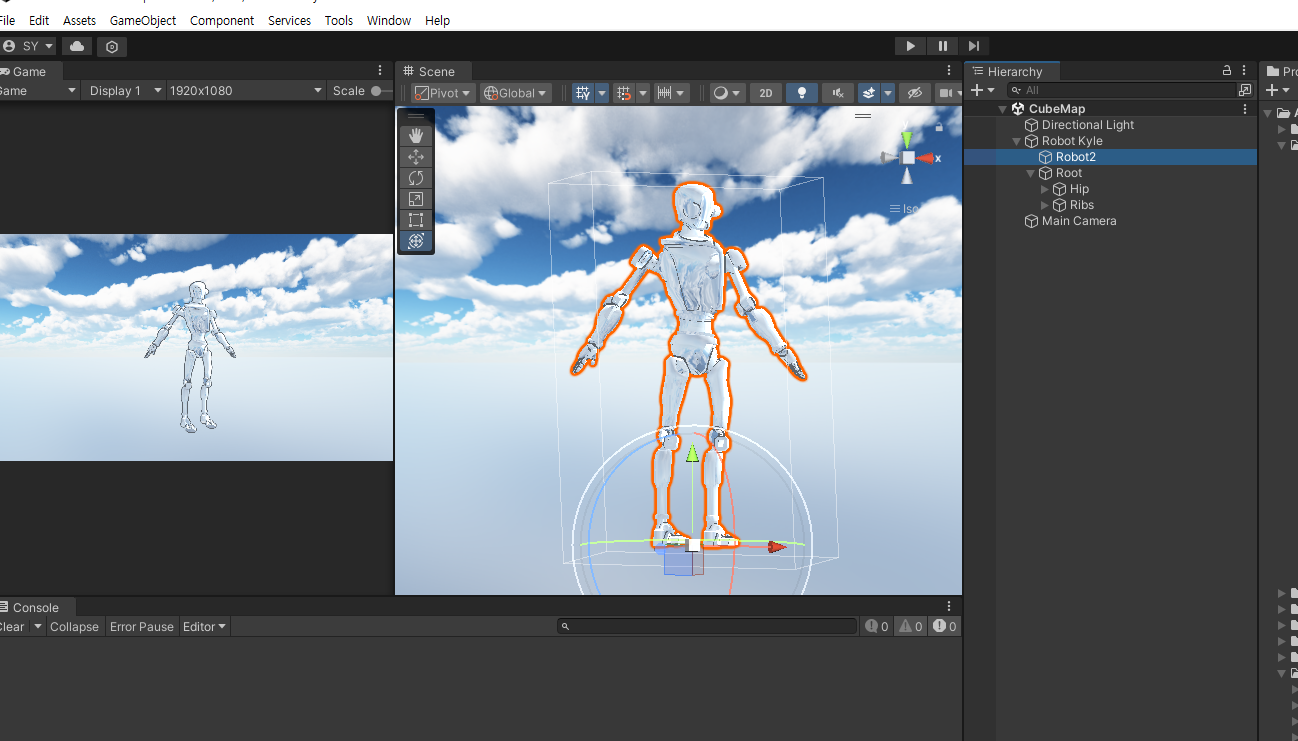
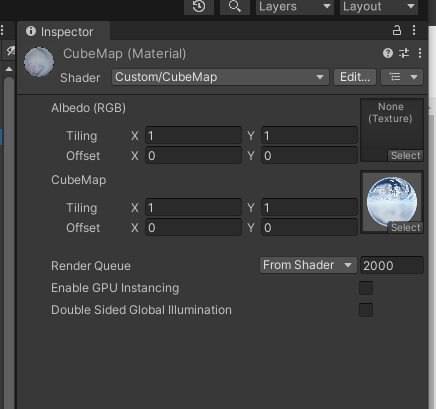
Shader "Custom/CubeMap"
{
    Properties
    {
        _MainTex ("Albedo (RGB)", 2D) = "white" {}
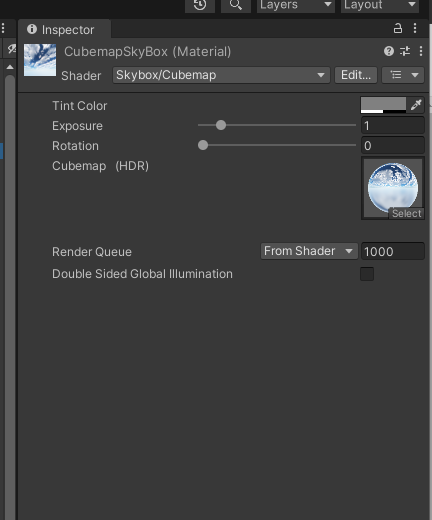
        _CubeMap ("CubeMap", CUBE) = ""{}
    }
    SubShader
    {   
        Tags { "RenderType"="Opaque" }
        //1Pass
        Cull Front
        CGPROGRAM
        #pragma surface surf _NoLight vertex:vert
        #pragma target 3.0

        sampler2D _MainTex;

        struct Input
        {
            float2 uv_MainTex;
        };

        void vert(inout appdata_full v){
            v.vertex.xyz = v.vertex.xyz + v.normal.xyz * 0.01;
            }

        void surf (Input IN, inout SurfaceOutput o)
        {
            fixed4 c = tex2D (_MainTex, IN.uv_MainTex);
            o.Albedo = c.rgb * 0.5;
            o.Alpha = c.a;
        }

        float4 Lighting_NoLight(SurfaceOutput s, float3 lightDir, float atten){
            return float4(0,0,0,1);
            }
        ENDCG

        //2Pass
        CGPROGRAM
        #pragma surface surf Lambert
        #pragma target 3.0

        sampler2D _MainTex;
        samplerCUBE _CubeMap;
        sampler2D _NormalMap;

        struct Input
        {
            float2 uv_MainTex;
            float3 worldRefl; //float2의 uv가아닌 반사벡터를 받는다. => 예약어
            float2 uv_NormalMap;
            INTERNAL_DATA
        };

        void surf (Input IN, inout SurfaceOutput o)
        {
            //텍스쳐
            fixed4 c = tex2D (_MainTex, IN.uv_MainTex);
            float3 n = UnpackNormal(tex2D(_NormalMap, IN.uv_MainTex));
            o.Normal = n;


            float3 ref = WorldReflectionVector(IN, o.Normal);
            float4 d = texCUBE(_CubeMap, ref);
            o.Albedo = c.rgb * 0.5;
            o.Emission = d.rgb * 0.5 ;
            o.Alpha = c.a;
        }
        ENDCG
    }
    FallBack "Diffuse"
}


_Cube("Cubemap", Cube) = "" {}

// 평소와 다르게 큰따옴표 안을 비워주고 프로퍼티를 생성


그리고 Input 구조체안에 float2 UV 아닌 반사 벡터를 받아 온다.

CubeMap에서 알베도를 0으로 선택

CubeMap을 사용할 때 주로 환경 맵이나 반사 맵으로 사용됩니다. CubeMap은 여러 방향으로 카메라를 렌더링하여 캡쳐한 이미지입니다. 이것은 6개의 면으로 구성되어 있으며, 각 면은 카메라가 향하는 방향에 대한 이미지입니다. 이러한 이미지는 일반적으로 장면의 주변 환경을 캡쳐하기 위해 사용됩니다.

알베도 (Albedo)는 표면이 받는 광선의 색상을 나타냅니다. 이것은 표면이 얼마나 빛을 흡수하고 반사하는지를 결정합니다. 일반적으로 알베도는 표면의 기본 색상이며, 이것은 표면이 받는 조명과 반사되는 빛의 양에 영향을 줍니다.

CubeMap을 사용하는 경우, 환경의 주변을 반영하기 위해 표면의 알베도를 0으로 선택하는 것은 일반적으로 의미가 없습니다. 왜냐하면 CubeMap은 주변 환경을 나타내는데 사용되며, 표면의 색상에 해당하는 이미지를 제공하기 때문입니다. 따라서 CubeMap을 사용하는 경우, 표면의 알베도를 0으로 선택하더라도 CubeMap에 의해 환경의 색상이 반영될 것입니다.

그러나 특정 상황에서는 CubeMap의 영향을 제거하고 표면의 색상을 완전히 지정하고자 할 수 있습니다. 이런 경우에는 알베도를 0으로 선택하여 CubeMap의 영향을 제거할 수 있습니다. 이는 표면이 주변 환경에 반영되는 것을 방지하고 표면의 색상을 완전히 제어하고자 할 때 사용될 수 있습니다.                                                                  -feat. GPT


Shader error in 'Custom/Reflection': Surface shader Input structure needs  INTERNAL_DATA for this WorldNormalVector or WorldReflectionVector usage at  line 144 (on d3d11)


이러한 에러가 발생하는 경우 Input에서 float3 worldRefl이나 float3 worldNormal과  같은 버텍스 월드 노멀에 관련된 데이터를 받아와 surf 함수 내부에서 사용하면서, 동시에  탄젠트 노멀인 UnpackNormal함수를 거친 노멀 데이터를 함수 내부에서 같이 사용하면  에러가 발생 한다.


INTERNAL_DATA


접선공간, 표면공, 텍스쳐공간등으로 불리는 Tangent Space 텍스쳐 위에서의 좌표계

공간 고유 원점 좌표계 텍스 좌표 지정되 좌표계.

좌표계에서 U 값이 증가하는 방향을 가리키는 X축과 V 값이 증가하는 방향으로 Y축을 나타낸다

노멀맵에 저장된 정보는 tangent space에 있으며,

이것을 사용하기 위해서는 tangent space에서 world space로의 변환이 필요하다.

https://docs.unity3d.com/kr/2021.3/Manual/SL-SurfaceShaders.html


표면 셰이더 작성 - Unity 매뉴얼

빌트인 렌더 파이프라인에서 표면 셰이더는 조명과 상호작용하는 셰이더를 더욱 간단하게 작성하는 방법입니다.

docs.unity3d.com


'산대특 > 게임 UIUX 프로그래밍' 카테고리의 다른 글

Shader - triplaner  (1) 2024.02.26
Shader - Diffuse Warping  (0) 2024.02.22
Shader -Blinn Phong 스펙큘러  (0) 2024.02.22
Shader - Lambert  (0) 2024.02.20
Shader - Vertex  (0) 2024.02.19

https://docs.unity3d.com/kr/530/Manual/StandardShaderMaterialParameterAlbedoColor.html


알베도 컬러 및 투명도 - Unity 매뉴얼

Albedo 파라미터는 표면의 베이스 컬러를 제어합니다.

docs.unity3d.com


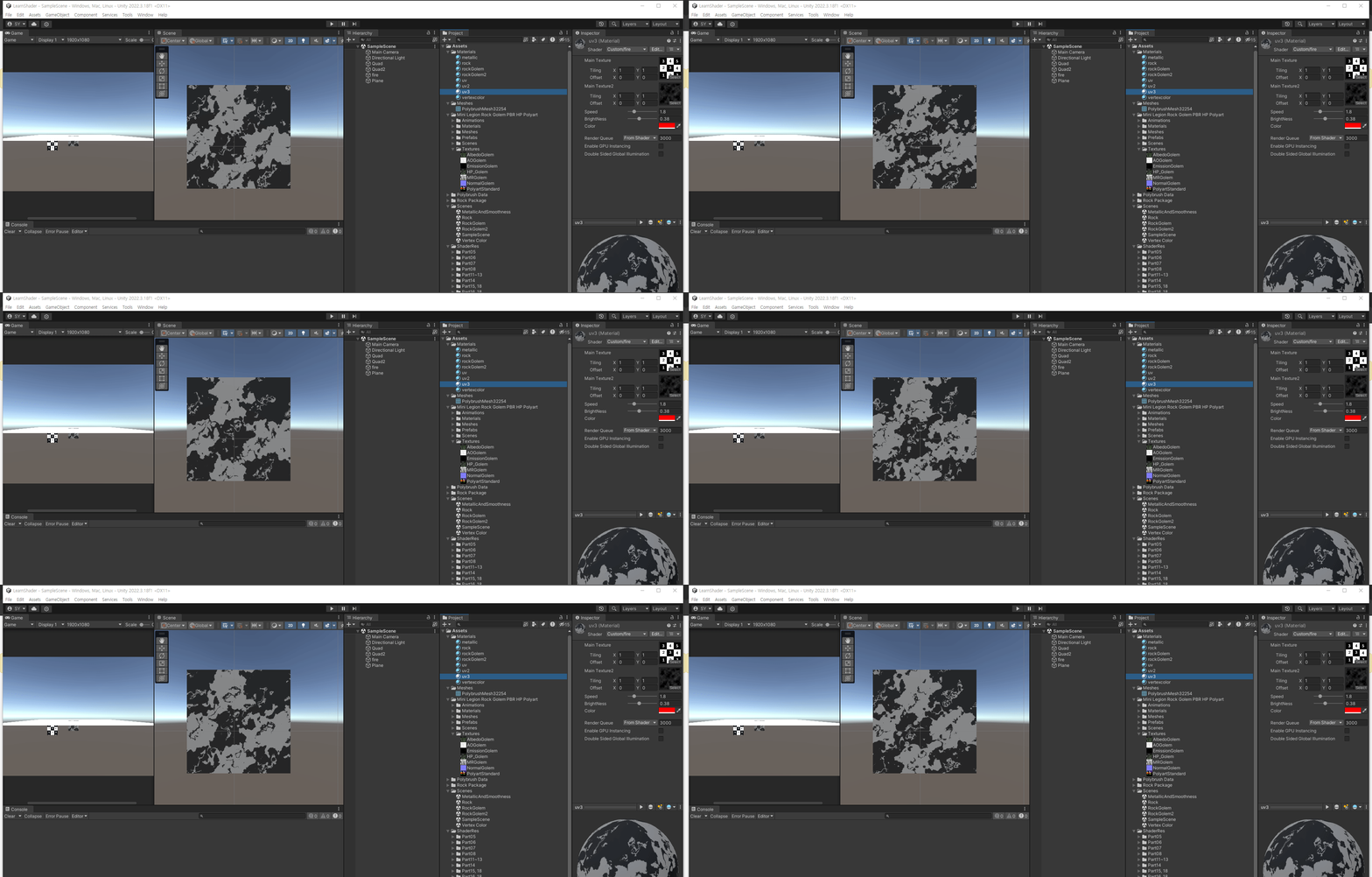
Shader "Custom/fire"
{
    Properties
    {
        _MainTex ("Main Texture", 2D) = "white"{}
        _MainTex2 ("Main Texture2", 2D) = "white"{}
        _Speed("Speed", Range(0,10.0)) = 1
        _BrightNess("BrightNess", Range(0,1)) = 1
        _Color("Color",Color) = (1,1,1,1)
    }
    SubShader
    {
        Tags { "RenderType"="Transparent" "Queue"="Transparent"}

        CGPROGRAM
        #pragma surface surf Standard alpha:fade
        #pragma target 3.0

        sampler2D _MainTex;
        sampler2D _MainTex2;
        float _Speed;
        float _BrightNess;
        float _Color;

        struct Input
        {
            float2 uv_MainTex;
            float2 uv_MainTex2;
           
        };

        void surf (Input IN, inout SurfaceOutputStandard o)
        {
            //데이터 
            float2 d_uv = IN.uv_MainTex2;
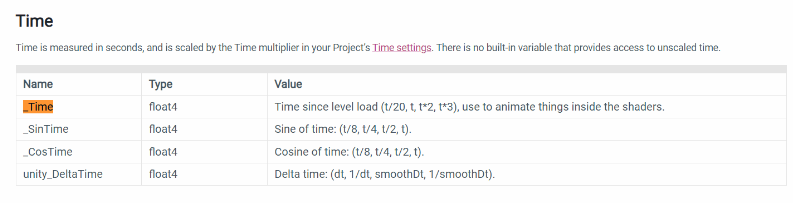
            d_uv.y -= _Time.y;
           
            float4 d = tex2D(_MainTex2, d_uv * _Speed);

            //d.rgb
            //d.r => 0 

            //체크 
            float2 c_uv = IN.uv_MainTex;
            float4 c = tex2D(_MainTex, c_uv + d); 

            //체크를 보여주고 있음 
            o.Emission = c.rgb * _BrightNess;
            o.Alpha = c.a ;
        }
        ENDCG
    }
    FallBack "Diffuse"
}


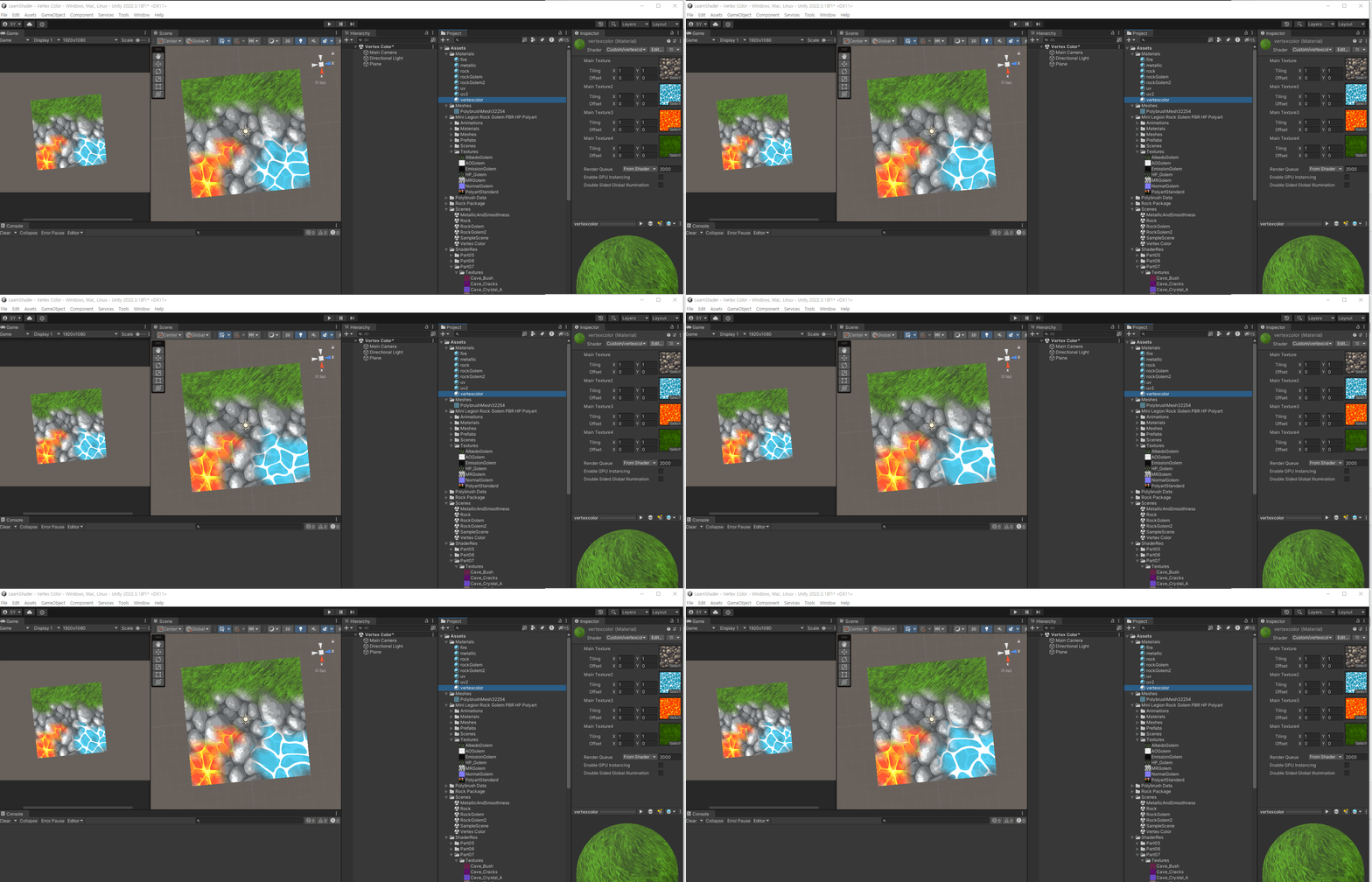
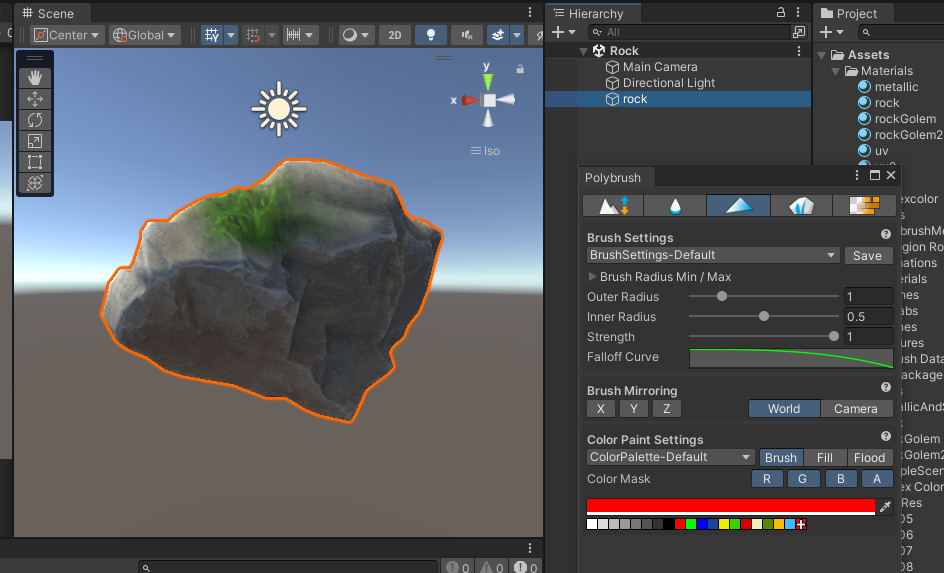
Shader "Custom/vertexcolor"
{
    Properties
    {
        _MainTex("Main Texture", 2D) = "white"{}
        _MainTex2("Main Texture2", 2D) = "white"{}
        _MainTex3("Main Texture3", 2D) = "white"{}
        _MainTex4("Main Texture4", 2D) = "white"{}
        
    }
    SubShader
    {
        Tags { "RenderType"="Opaque" }
     

        CGPROGRAM
      
        #pragma surface surf Standard fullforwardshadows

        #pragma target 3.0

        sampler2D _MainTex;
        sampler2D _MainTex2;
        sampler2D _MainTex3;
        sampler2D _MainTex4;


        struct Input
        {
            float4 color : COLOR;
            float2 uv_MainTex;
            float2 uv_MainTex2;
            float2 uv_MainTex3;
            float2 uv_MainTex4;


        };


        void surf (Input IN, inout SurfaceOutputStandard o)
        {
           float4 c =tex2D(_MainTex, IN.uv_MainTex);
           //o.Emission = c.rgb + IN.color.rgb;

           IN.uv_MainTex2 -= _Time.y * 0.2;
           //float2 d_uv2 = IN.uv_MainTex2;
            //d_uv2.y -= _Time.y;
            float4 d = tex2D(_MainTex2,IN.uv_MainTex2);
           o.Emission = lerp(c.r, d.rgb, IN.color.r ); // 보이지 않는 곳을 0 보이는 곳을 1이라고 생각
           

           float4 e = tex2D(_MainTex3, IN.uv_MainTex3);
           o.Emission = lerp(o.Emission, e.rgb, IN.color.g);

           float4 f = tex2D(_MainTex4, IN.uv_MainTex4);
           o.Emission = lerp(o.Emission, f.rgb, IN.color.b);
           
        }
        ENDCG
    }
    FallBack "Diffuse"
}


Shader "Custom/rock"
{
    Properties
    {
        _MainTex ("Main Texture", 2D) = "white"{}
        _MainTex2 ("Main Texture2", 2D) = "white"{}
    }
    SubShader
    {
        Tags { "RenderType"="Opaque" }
        CGPROGRAM
        #pragma surface surf Standard
        #pragma target 3.0

        sampler2D _MainTex;
        sampler2D _MainTex2;

        struct Input
        {
            float4 color : COLOR; //버텍스 컬러 
            float2 uv_MainTex;
        };

        void surf (Input IN, inout SurfaceOutputStandard o)
        {
            //이끼 
            float4 d = tex2D(_MainTex2, IN.uv_MainTex);
            //돌맹이 
            float4 c = tex2D(_MainTex, IN.uv_MainTex);
            
            //이끼를 버텍스 컬러 R 부분에 출력하자 
            o.Albedo = lerp(c.rgb, d.rgb, IN.color.r);
            o.Alpha = c.a;
        }
        ENDCG
    }
    FallBack "Diffuse"
}


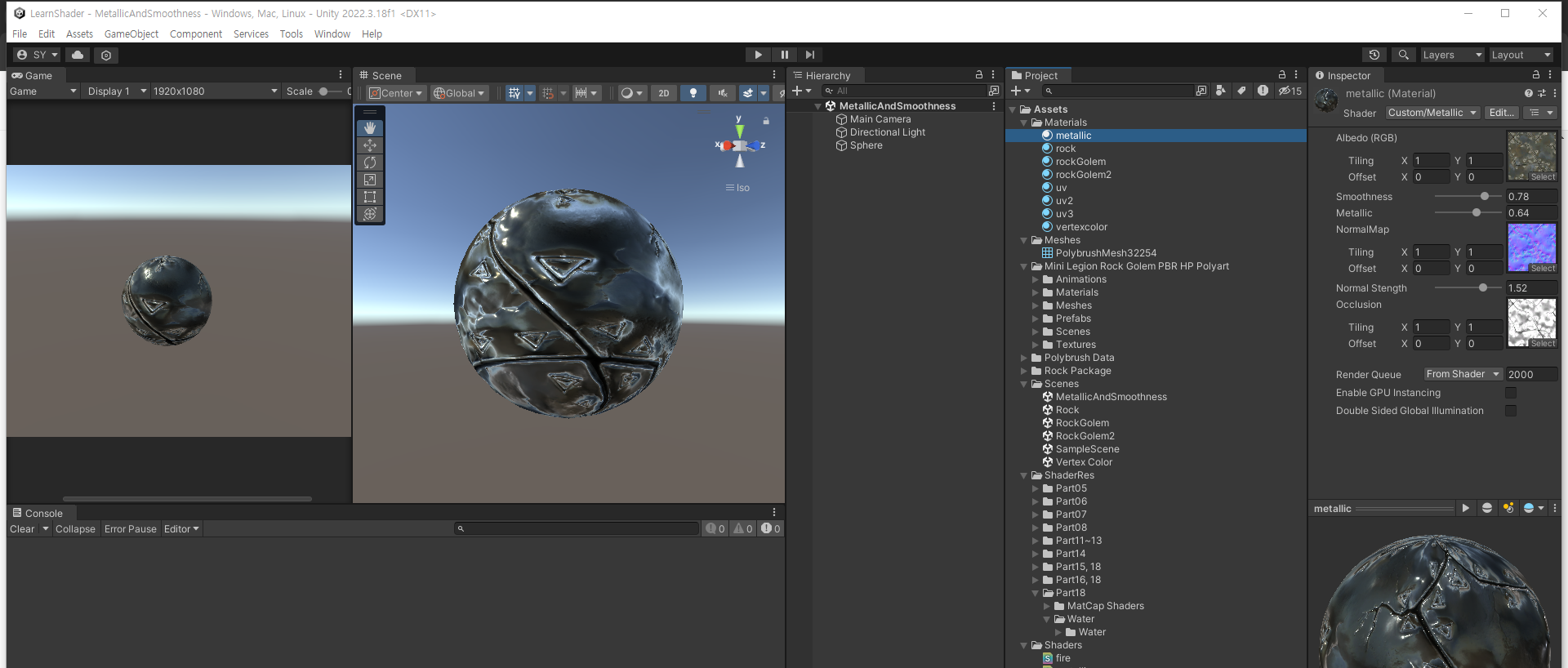
https://docs.unity3d.com/kr/530/Manual/StandardShaderMaterialParameterMetallic.html

https://docs.unity3d.com/kr/2022.1/Manual/StandardShaderMaterialParameterSmoothness.html

https://docs.unity3d.com/Manual/StandardShaderMaterialParameterNormalMap.html


Unity - Manual: Normal map (Bump mapping)

Normal map (Bump mapping) Normal maps are a type of Bump Map. They are a special kind of texture that allow you to add surface detail such as bumps, grooves, and scratches to a model which catch the light as if they are represented by real geometry. Unity

docs.unity3d.com


평활도 - Unity 매뉴얼

평활도(Smoothness) 개념은 스페큘러 워크플로우와 메탈릭 워크플로우 모두에 적용되며 매우 비슷한 방식으로 작동합니다. 디폴트로 메탈릭 또는 스페큘러 텍스처 맵이 할당되지 않았다면 슬라이

docs.unity3d.com


메탈릭모드: 메탈릭 파라미터 - Unity 매뉴얼

Metallic 워크플로에서 작업하는 경우(스페큘러 워크플로와 달리) 표면의 반사도 및 광원 반응이 메탈릭 레벨과 평활도 레벨에 따라 바뀝니다.

docs.unity3d.com


Shader "Custom/Metallic"
{
    Properties
    {
        _MainTex ("Albedo (RGB)", 2D) = "white" {}
        _Glossiness ("Smoothness", Range(0,1)) = 0.5
        _Metallic ("Metallic", Range(0,1)) = 0.0
        _NormalMap ("NormalMap", 2D) = "bump"{}
        _NormalStength("Normal Stength", Range(0.1, 2)) = 0
        _Occlusion("Occlusion", 2D) = "white"{}
    }
    SubShader
    {
        Tags { "RenderType"="Opaque" }

        CGPROGRAM
        #pragma surface surf Standard
        #pragma target 3.0

        sampler2D _MainTex;
        sampler2D _NormalMap;
        sampler2D _Occlusion;
        float _NormalStength;

        struct Input
        {
            float2 uv_MainTex;
            float2 uv_NormalMap;
        };

        half _Glossiness;
        half _Metallic;

        void surf (Input IN, inout SurfaceOutputStandard o)
        {
            fixed4 c = tex2D (_MainTex, IN.uv_MainTex);
            o.Albedo = c.rgb;

            float4 n = tex2D(_NormalMap, IN.uv_NormalMap);
            float3 normal = UnpackNormal(n);
            fixed4 occlusion = tex2D(_Occlusion, IN.uv_MainTex);

            o.Occlusion = occlusion;
            o.Metallic = _Metallic;
            o.Smoothness = _Glossiness;

            o.Normal = float3(normal.x * _NormalStength , normal.y * _NormalStength , normal.z);

            o.Alpha = c.a;
        }
        ENDCG
    }
    FallBack "Diffuse"
}


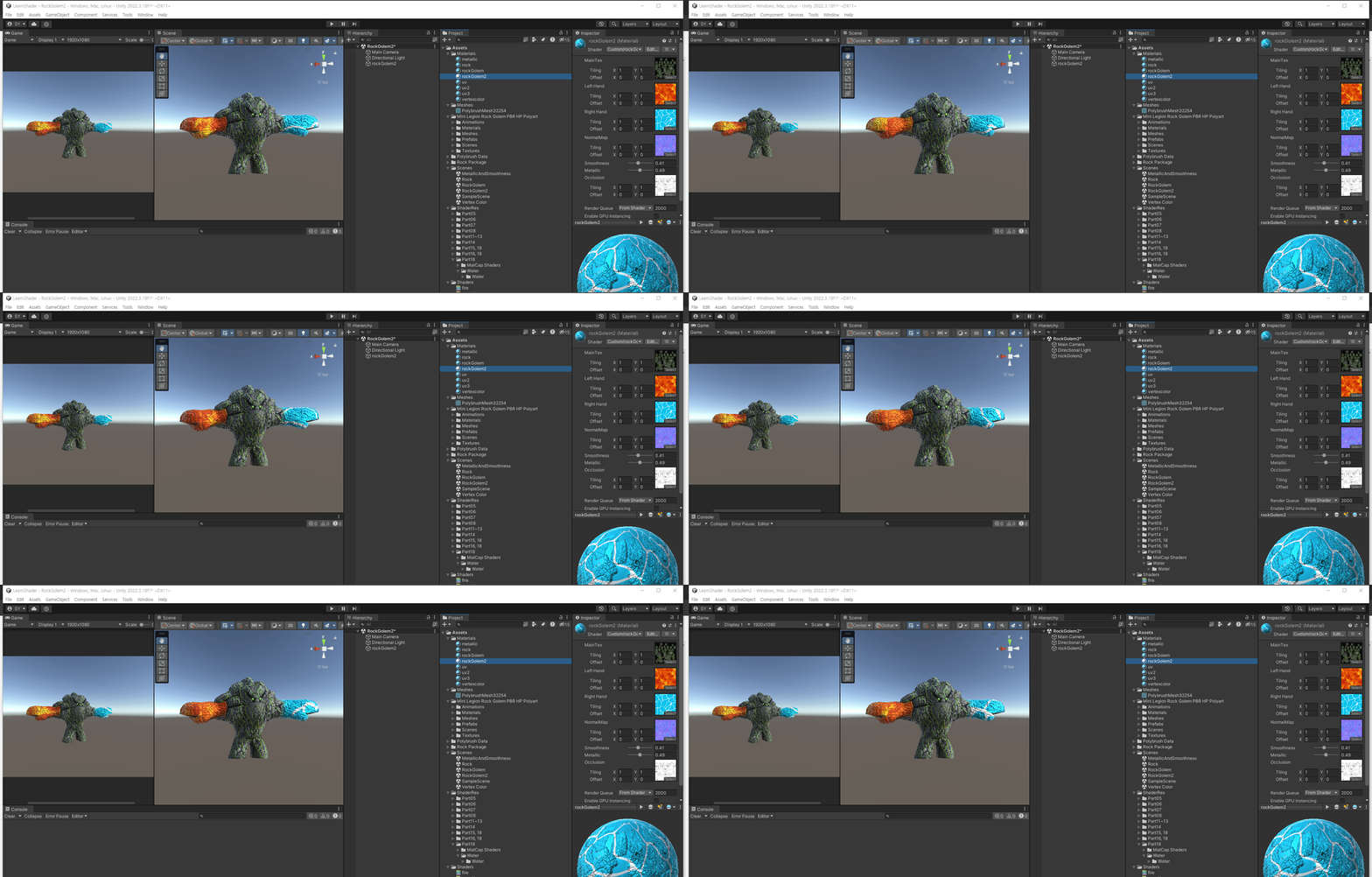
Shader "Custom/rockGolem2"
{
    Properties
    {
        _MainTex("MainTex",2D) = "white" {}
        _MainTex2("Left Hand",2D) = "white" {}
        _MainTex3("Right Hand",2D) = "white" {}
        _NormalMap ("NormalMap", 2D) = "bump"{}
        _Glossiness ("Smoothness", Range(0,1)) = 0.5
        _Metallic ("Metallic", Range(0,1)) = 0.0
        _Occlusion ("Occlusion", 2D) = "white"{}
    }
    SubShader
    {
        Tags { "RenderType"="Opaque" }
       
        CGPROGRAM
        #pragma surface surf Standard
        #pragma target 3.0

        sampler2D _MainTex;
        sampler2D _MainTex2;
        sampler2D _MainTex3;
        sampler2D _NormalMap;
        half _Glossiness;
        half _Metallic;
        sampler2D _Occlusion;


        struct Input
        {
            float2 uv_MainTex;
            float2 uv_MainTex2;
            float2 uv_MainTex3;
            float4 color : COLOR;
            float2 uv_NormalMap;
        };
    
        void surf (Input IN, inout SurfaceOutputStandard o)
        {
            //fixed4 c = tex2D(_MainTex, IN.uv_MainTex);
            //o.Albedo = IN.color.rgb;
            //o.Alpha = c.a;
            IN.uv_MainTex2.y += _Time.y * 0.2;
            IN.uv_MainTex3.y += _Time.y * 0.2;
            fixed4 body = tex2D (_MainTex, IN.uv_MainTex);
            fixed4 lHand = tex2D (_MainTex2, IN.uv_MainTex2);
            fixed4 rHand = tex2D (_MainTex3, IN.uv_MainTex3);


            //float2 d_uv2 = IN.uv_MainTex2;
            //d_uv2.y -= _Time.y;


            //o.Albedo = lerp(0, body, IN.color.r);
            o.Albedo = lerp(body, lHand, IN.color.r);
            o.Albedo = lerp(o.Albedo, rHand, IN.color.b);

            float4 n = tex2D(_NormalMap, IN.uv_NormalMap);
            float3 normal = UnpackNormal(n);
            o.Metallic = _Metallic;
            o.Smoothness = _Glossiness;
            o.Normal = normal;
            o.Occlusion = tex2D(_Occlusion, IN.uv_MainTex);


        }
        ENDCG
    }
    FallBack "Diffuse"
}

+ Recent posts