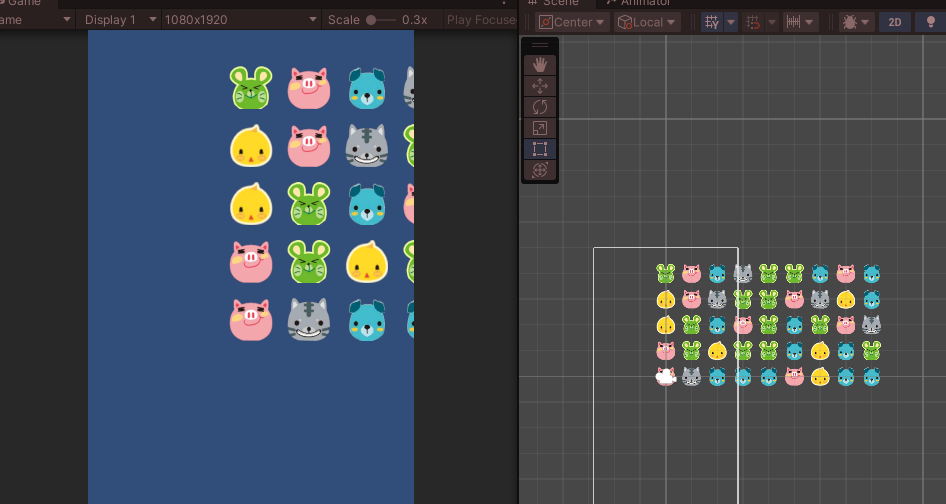
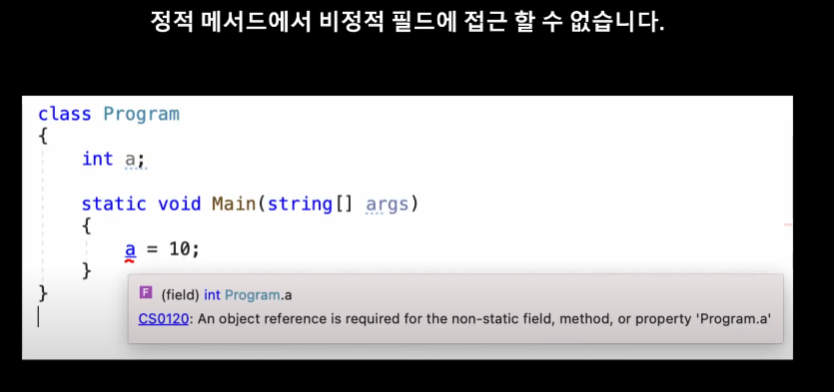
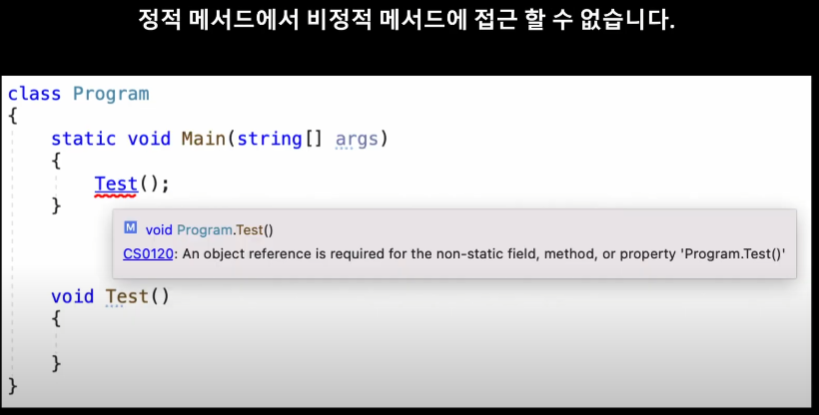
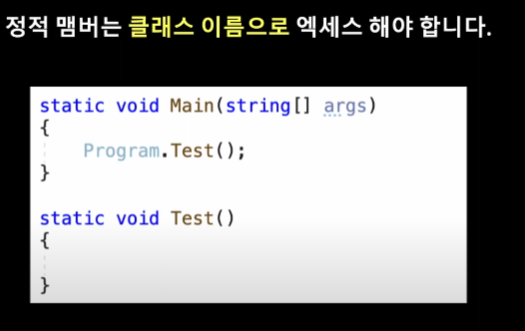
using System.Collections;
using System.Collections.Generic;
using UnityEngine;
using UnityEngine.U2D;

public class AtlasManager : MonoBehaviour
{
    public static AtlasManager instance;
    public SpriteAtlas blockAtlas;
    //싱글톤
    private void Awake()
    {
        //AtlasManager 클래스의 인스턴스를 instance에 할당
        instance = this;
    }
}
using System;
using System.Collections;
using System.Collections.Generic;
using System.Text;
using UnityEngine;
using Random = UnityEngine.Random;

public class Test : MonoBehaviour
{
    private Block[,] board; //1차원 배열이 Block들을 관리
    public GameObject blockPrefab;
    void Start()
    {
        CreateBoard();
    }

    private void CreateBoard()
    {
        //크기가 9인 BlockType의 1차원 배열 만들기
        board = new Block[5, 9]; // 2차원 배열로 변경
        //5행 9열의 Block타입의 2차원 배열 만들기
        for (int i = 0; i < 5; i++)
        {
            for (int j = 0; j < 9; j++)
            {
                CreateBlock(i, j);
            }
        }
        PrintBoard();
    }

    private void CreateBlock(int row, int col)
    {
        Vector2 pos = new Vector2(col, row);
        Block.BlockType blockType = (Block.BlockType)Random.Range(0, 5);
        GameObject blockGo = Instantiate(blockPrefab);
        Block block = blockGo.GetComponent<Block>();
        block.Init(blockType);
        block.SetPosition(pos);

        //배열의 요소에 블록 넣기
        board[row, col] = block;
    }

    private void PrintBoard()
    {
        StringBuilder sb = new StringBuilder();
        for (int i = 0; i < board.GetLength(0); i++)
        {
            for (int j = 0; j < board.GetLength(1); j++)
            {
                sb.Append($"({i},{j})"); // StringBuilder에 문자열 추가
            }
            sb.AppendLine(); // 새로운 행 추가
        }
        Debug.Log(sb); // StringBuilder에 저장된 문자열을 출력
    }
}
using System.Collections;
using System.Collections.Generic;
using UnityEngine;

public class Block : MonoBehaviour
{
    public enum BlockType
    {
        Blue, Gray, Green, Pink, Yellow
    }

    public BlockType blockType;
    public SpriteRenderer spriteRenderer;
    public void Init(BlockType blockType)
    {
        this.blockType = blockType;
        //이미지 변경
        ChangeSprite(blockType);
    }

    public void ChangeSprite(BlockType blockType)
    {
        //블록의 이름을 넣어서 아틀라스에서 같은 이름인 sprite를 찾고 할당
        Sprite sp =
            AtlasManager.instance.blockAtlas.GetSprite(blockType.ToString());
        spriteRenderer.sprite = sp;
    }

    public void SetPosition(Vector2 pos)
    {
        transform.position = pos;
    }
}
using System.Collections;
using System.Collections.Generic;
using TMPro;
using Unity.Mathematics;
using UnityEngine;

public class Block : MonoBehaviour
{
    public enum BlockType
    {
        Blue, Gray, Green, Pink, Yellow
    }

    public BlockType blockType;
    public SpriteRenderer spriteRenderer;
    public TMP_Text debugText;
    public void Init(BlockType blockType)
    {
        this.blockType = blockType;
        //이미지 변경
        ChangeSprite(blockType);
    }

    public void ChangeSprite(BlockType blockType)
    {
        //블록의 이름을 넣어서 아틀라스에서 같은 이름인 sprite를 찾고 할당
        Sprite sp =
            AtlasManager.instance.blockAtlas.GetSprite(blockType.ToString());
        spriteRenderer.sprite = sp;
    }

    public void SetPosition(Vector2 pos)
    {
        transform.position = pos;
        var index = Position2Index(pos);
        debugText.text = $"[{index.row}, {index.col}]";
    }

    public static (int row, int col) Position2Index(Vector2 pos)
    {
        return ((int)pos.y, (int)pos.x);
    }

    public static (int x, int y) Index2Position(Vector2 index)
    {
        return ((int)index.x, (int)index.y);
    }
}
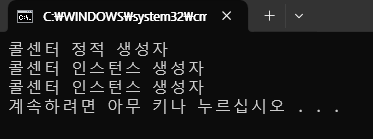
using System;
using System.Collections.Generic;
using System.Linq;
using System.Text;
using System.Threading.Tasks;

namespace Step35
{
    internal class CallCenter
    {
        //정적 생성자
        static CallCenter()
        {
            Console.WriteLine("콜센터 정적 생성자");
        }

        //인스턴스 생성자
        public CallCenter()
        {
            Console.WriteLine("콜센터 인스턴스 생성자");
        }
    }
}
using System;
using System.Collections.Generic;
using System.Linq;
using System.Text;
using System.Threading.Tasks;

namespace Step35
{
    internal class Program
    {
        static void Main(string[] args)
        {
            var center1 = new CallCenter();
            var center2 = new CallCenter();
        }
    }
}
using System;
using System.Collections.Generic;
using System.Linq;
using System.Text;
using System.Threading.Tasks;

namespace Step35
{
    internal class Program
    {
        static void Main(string[] args)
        {
            var center1 = new CallCenter(201); //인스턴스 생성시 인수 값(내선번호) 전달
            var center2 = new CallCenter(202);

            Console.WriteLine(CallCenter.number); //정적 맴버는 클래스 이름으로 엑세스

            //정적 메서드 호출
            CallCenter.Call();

            //인스턴스 메서드 호출
            center1.CallExtensionNumber(); //변수에 할당된 CallCenter인스턴스의 맴버 메서드 호출
            center2.CallExtensionNumber();
        }
    }
}
using System;
using System.Collections.Generic;
using System.Linq;
using System.Text;
using System.Threading.Tasks;

namespace Step35
{
    internal class CallCenter
    {
        //정적 맴버 변수
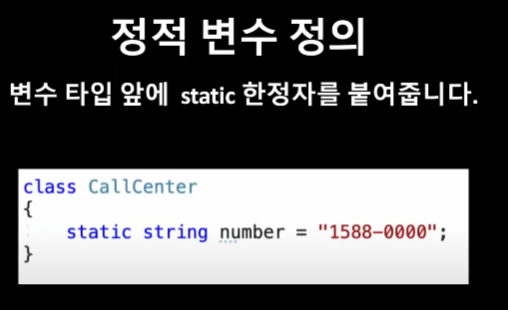
        public static string number;

        //인스턴스 맴버 변수
        public int extenstionNumber;

        //정적 생성자
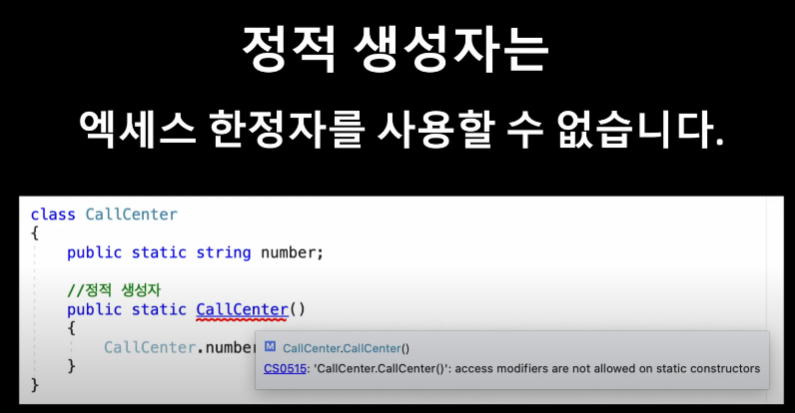
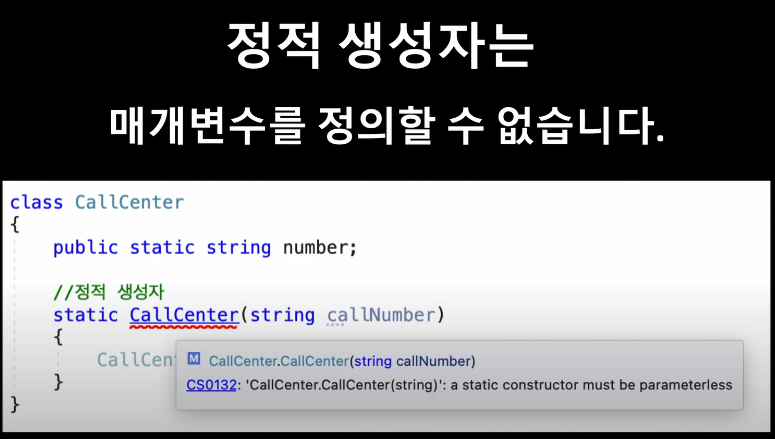
        static CallCenter()
        {
            //정적 생성자에서 정적 필드(맴버변수)를 초기화 할 수 있다.
            CallCenter.number = "1588-0000";
            Console.WriteLine("콜센터 정적 생성자");
        }

        //인스턴스 생성자
        public CallCenter(int extenstionNumber) //매개변수로 내선번호 전달
        {
            //this 키워드를 사용해 클래스의 현재 인스턴스의 맴버변수에 접근(맴버 엑세스 연산자 사용, .점 연산자)
            this.extenstionNumber = extenstionNumber;
            Console.WriteLine("콜센터 인스턴스 생성자");
            Console.WriteLine("내선번호 : {0}", this.extenstionNumber); //생성된 인스턴스는 다른 내선번호를 가지게 만듬
        }

        //정적 맴버 메서드
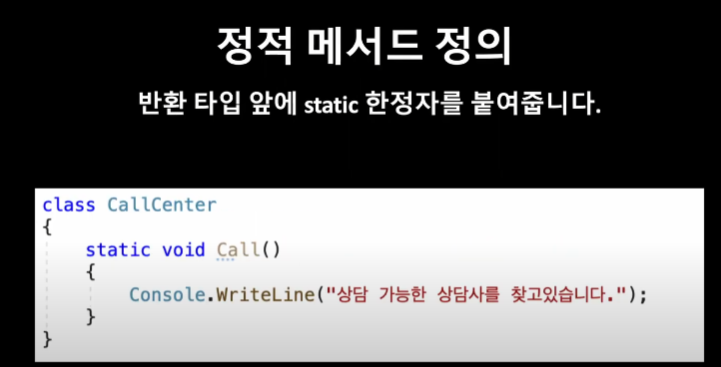
        public static void Call()
        {
            Console.WriteLine("상담 가능한 상담사를 찾고있습니다.");
        }

        //인스턴스 맴버 메서드(내선번호로 전화 걸기)
        public void CallExtensionNumber()
        {
            Console.WriteLine("내선번호({0})로 전화를 겁니다.", this.extenstionNumber);
        }

    }
}